
|
|
|
 |
Category |
 |
| |
|
|
|
|
 |
Popular Downloads |
 |
| |
|
|
|
|
 |
New Downloads |
 |
| |
|
|
|
|
 |
Related Downloads |
 |
| |
|
|
|
|
 |
Popular Searches |
 |
| |
|
|
|
|
|
DVD Blaster 1.3.0.31 |
|
|
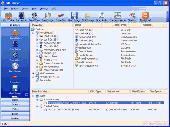
Burn discs of any kind - from Audio CD to High-Definition Video. DVD Blaster works with all CD, DVD and HD burning hardware with no issues, and supports all optical disk formats from legacy Audio CD to brand-new Blu-Ray and HD-DVD discs.
Download DVD Blaster by AQUATRA
|
|
|
|
|
Burn discs of any kind - from Audio CD to High-Definition Video
Did you download a high-def burning utility only to find that it does not support your minty Blu-Ray burner? Got a message saying "Your disc burner is not supported, please update the driver"? DVD Blaster works with all CD, DVD and HD burning hardware with no issues, and supports all optical disk formats from legacy Audio CD to brand-new Blu-Ray and HD-DVD discs. Of course, you can burn a data CD, a single or double-layer DVD video or data disc just as easily!
Ever had a bunch of MP3s, but couldn't figure how to make a proper CD to play back in your car? Make an Audio CD from WAV, MP3, WMA, OGG, ASF or WMV files from within a single application. Make a Video CD, Super VCD or even a DVD video from a movie in almost any video format from the very same application. Burning data CDs and DVDs is equally easy no matter what you store. Erase or rewrite CD-RW discs, create double-layer DVDs and perform just about any burning task with DVD Blaster.
Burning a disc is now extremely simple thanks to the DVD Blaster new wizard-style interface. Feel a little more advanced? Try the Power GUI that allows you to fine-tune your discs and adjust burning properties. Want to fit more on a CD or DVD than the standard allows? Increase your storage capacity safely and easily with DVD Blaster's Power GUI by adjusting the Overburn!
Did you ever wonder what's inside that ISO file? ISO files are disc images that contain information about the entire CD or DVD disc. Until now, your only choice to see what's there would be burning the image onto a blank media. DVD Blaster conveniently mounts the ISO image and creates a separate drive letter, allowing you to work with the image as if it was a real disc inserted into your CD/DVD drive - yet without actually burning anything! No need to waste blank media, and no more waiting till the burning finishes - just mount an image with DVD Blaster, and you're ready to roll.
PCWin Note:
DVD Blaster 1.3.0.31 download version indexed from servers all over the world. There are inherent dangers in the use of any software available for download on the Internet.
PCWin free download center makes no representations as to the content of DVD Blaster version/build 1.3.0.31 is accurate, complete, virus free or do not infringe the rights
of any third party. PCWin has not developed this software DVD Blaster and in no way responsible for
the use of the software and any damage done to your systems. You are solely responsible for adequate protection and backup of the data and equipment used in connection with using software DVD Blaster.
Rating:

|
|
Platform: Windows 2000, Windows 2003, Windows 98, Windows Me, Windows XP, Windows Vista
|
Category: Audio / Utilities & Plug-Ins
|
|
|
| | |
|
|
More Software of "AQUATRA" |
|