
PCWin Software Download Center
 
Product Home
Download Trial
Author Site

Category

 
Audio
Business & Finance
Desktop Enhancements
Cursors
Font Tools
Fonts
Icon Tools
Icons
Misc. Themes
Movie Themes
Music Themes
Screensavers
Shell & Desktop Managers
Skins
Sports Themes
Start-up/Shutdown
TV Themes
Wallpaper
DVD & Video
Games
Home & Education
Internet
Multimedia & Design
Security & Privacy
Software Development
Utilities
Web Authoring


Popular Downloads

 
TubeHunter Ultra
EasySystemCleaner
More than 30.000 vista icons
Aurora Web Editor 2007 Professional
MySpeed PC Lite
eScan Pro Edition
HelpVistaXPDiamond
WAB-Processor
Win Guard Pro
GreenAlarm
 

New Downloads

 
Tarma Installer
Perfect Network Icons
Car Wash Calendar
Protect Folders in Windows
Godsw SQL Compare
photoShuffle
WebSite Auditor SEO Tool
Minutes of Meeting Recorder
Bucharchiv
StartEd Pro
 

Related Downloads

 
Explorer Menu
Windows Explorer
Windows Explorer Replace
Windows Explorer Extensi
Create Menu
Create Dvd Menu
Create Dvd With Dvd Menu
Create Web Menu
Windows Menu
Windows Startup Menu
 

ProNew

ProNew 1.0

By default you can create a new Single document of certain file types with Windows' New command menu,with ProNew you can create Projects(more than one file) and open them for you automatically! Download ProNew by Powode
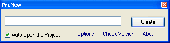
Screenshot of ProNew
Language: English
Publisher: Powode
License: Freeware
Price: USD $0.00
Filesize: 627.5 KB
Date Added: 05/31/2008

By default you can create a new Single document of certain file types with Windows' New command menu,with ProNew you can create Projects(more than one file) and open them for you automatically!

How to Use it
1.Open Pronew,click "Options"
2.Click the "New Project" button to select a folder "MyProject"
3.if this project has a main file,use the second combobox to choose it and then mark it by clicking the "Main File" button(If you want pronew to open the main file for you,make sure the "Auto Open" checkbox is checked).
4.close the ProNew Editor.
5.Right-click the Desktop,select the New command,you'll see a new item "pronew_MyProject".As soon as you selec it,a file will appear on your desktop,just press Enter then the ProNew dialog will appear.
6.If you press do nother else but press Enter again,a new folder named MyProject will be created on your desktop. If you want new names for both the project and the main file ,just input something like "project1cool" before you Press the Enter key.If you want a new name for your project only,input something like "project1".Finally,if you want a new name for the main file only,input something like "cool".

Platform: Windows 98, Windows Me, Windows NT, Windows 2000, Windows XP, Windows 2003, Windows Vista

Category: Desktop Enhancements / Shell & Desktop Managers


Download | Homepage | Screenshot | Report Error

Related Software

Create Explorer Menu New
Projects Pronew Windows
Fast Explorer Context Menu Extension DLL - Fast Explorer Context Menu Extension DLL is designed for adding sophisticated context menu items for any file object displayed in a file manager, like Windows Explorer or Total Commander. Cascaded and custom-drawn menu items are fully supported.
Mini-XMenus - .NET component to add custom items to the Windows Explorer context Menu. Supports custom fonts, colors & images. Or draw your own menu items with full OwnerDraw support!
CIS Smart CD-Menu Creator - Create professional auto run (auto-play) CD-ROM menu projects.
Web Menu Builder - The Web Menu Builder is a powerful solution to create professional looking Web menu / navigation.
Explorer Context Menu Platinum (.Net Component) - Add custom items to Windows Explorer shell context menu easily with Context Menu Platinum (.
Explorer Context Menu Platinum - Add custom items to Explorer shell context menu easily with Context Menu Platinum. Support .Net, C#, VB, VB .Net. Work on any Windows computer, including Windows XP and Vista. Easy to start (just install), easy to add your menu items - easy to...
Web Menu Studio Plus - Create professional look and feel web menus with winning-award tools. With this easy-to-use web menu authoring toolkit, you can easy to draft, design, develop and deploy menu scripts for web sites and web projects.
ShellBrowser Components for ActiveX - The ShellBrowser components give a programmer easy access to the Win32 shell functionality. The components look and behave exactly like the corresponding parts of the Explorer and are Unicode enabled.
Belkasoft RemovEx - Belkasoft RemovEx allows you to remove so-called Shell Extensions (Windows Explorer and Internet Explorer Extensions).
CD Menu Builder - Create professional royalty-free autorun (auto-play) CD-ROM menu projects. Project files may also be combined into one file for added security and convenience. Create a standardized look for all company CDs with an easy-to-use interface.

More Software of "Powode"

Folder Bear - A Folder tidy,data synchronization and backup utility with an intuitionistic,treestyle user interface
 

Copyright © 1995-2008 PCWin Download Center. Home | | Privacy | Link to Us | Submit / Update Software