
ICL-Icon Extractor Screenshot
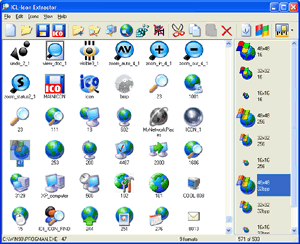
ICL-Icon Extractor is a fully-fledged tool for searching and extracting icons from any location. The latter may include files, folders, icon libraries, archives, or web collections. Added to this is an ability to extract and save Windows Vista icons. ICL-Icon Extractor extracts icons from ICO, CUR, ANI, EXE, ICL, DLL, SCR, IL, NIL, DCR, RES, OCX, and other libraries.
Extracted icons are stored along with their source information in special ICC icon collections, where they can be easily sorted, located, and viewed in a variety of display modes, including 16x16, 32x32, 48x48, Monochrome, 16 Colors, 256 Colors, or True Color. The program allows you to export icons to ICO, PNG, JPG, CUR, GIF, XPM and BMP formats, archive icons in ZIP files, delete duplicate icons and split icon libraries into individual icon files.
ICL-Icon Extractor also offers you a pain-free way to customize the look of your Windows desktop with new icons of your choice. Icon customization is done from the Customize Windows Icons dialog, which is faster and handier than using the standard Windows method. You can easily change icons of the desktop, start menu, drives, and folders. Additionally, you can change icon size and icon color depth, set space between icons - all in one click.
Other products: icon producer, iconlh, icon long horn, icon boss, icon superior, icon colonel, icon corporal, icon sergeant, icongeneral, iconbrigadier, icon brigadier, icon marshal, icon lord, icon emperor, icon prof.
Back to ICL-Icon Extractor Details page
- ICL Icon Extractor
- Print Icl Icon
- View Icl Icon
- Icl To Ico Icon
- Freeware Icl Icon Changer
- Convert Icl To Ico Icon
- Icon Extractor Online
- Arm Icon Extractor
- Sofonesia Icon Extractor
- Free Icon Extractor


