
PCWin Software Download Center
 
Product Home
Download Trial
Purchase
Author Site

Category

 
Audio
Business & Finance
Desktop Enhancements
DVD & Video
Games
Home & Education
Internet
Multimedia & Design
Animation
Authoring Tools
Button Creators
CD Label Creators
Clip Boards
Color Pickers
Digital Media Editors
Flash Tools
Fonts
Graphics Viewers
Illustration
Image Editing
Image Plugins
Kids Cursors
Media Catalogers
Media Management
Multimedia App's
Multimedia Plugins
PDF Tools
Screen Capture
Slideshows
Stylesheets
Video
Security & Privacy
Software Development
Utilities
Web Authoring


Popular Downloads

 
Internet Download Manager
TubeHunter Ultra
EasySystemCleaner
Majestic Waterfalls Screensaver
More than 30.000 vista icons
Visual Renamer
Aurora Web Editor 2007 Professional
MySpeed PC Lite
eScan Pro Edition
HelpVistaXPDiamond
 

New Downloads

 
USB Over Network
Win Watermark Software
Rainbow Web 2 for Mac
X-Fonter
Multi-Edit 2008 Lite
Photo Framer
Recovery for Oracle
SpyZooka Anti-Spyware
Webdomain Monitoring Tool
Cash Register Calculator
 

Related Downloads

 
Alpha Channel
Capture Screen To Icon
Make Taskbar Transparent
Semi-Transparent Xp Icon
Customize Icon
Screen Capturing
Winxp Drawing
Extract Bitmap
Cursor Editing
Palette Editor
 

Paint Express

Paint Express 1.31

Create, view, edit, and extract icons, cursors, and bitmaps. Convert existing images with transparency to Windows XP icon/cursor or to 32-bit bitmap with alpha channel in one-click. Capture and save any image from the desktop screen or from Internet. Download Paint Express by SlavaSoft Inc.
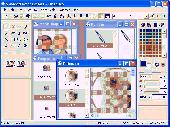
Screenshot of Paint Express
Publisher: SlavaSoft Inc.
License: Shareware
Price: USD $39.95
Filesize: 1.7 MB
Date Added: 07/05/2007

This image editor fully supports ICO, CUR, BMP files of all color formats including 32-bit, reads PNG, JPG, JPEG files. Use this image maker to create multi-format icons/cursors from existing images in one click. With Paint Express, converting professional images with transparency created using Photoshop or Paint Shop into high-quality Windows XP icons/cursors with alpha channel takes seconds. To modify images, use various editing and drawing tools (rotation, flip, gradient, semi-transparent brush), image processing filters (smooth, blur, sharpen, shadow), and effects (brightness, contrast, opacity, grayscale). Use the built-in extractor to extract image resources from EXE, DLL, OCX files. Use the searching tool to find images on the computer, filter the search results based on file type and colors. Use the powerful screen-capture tool to grab any image from the desktop: an Internet picture, window, toolbar. Edit, save, print, or convert the captured picture to an icon/cursor/bitmap.
Use the clipboard operations (copy, cut, paste) to enhance existing or to make new images. Use the built-in resizing tool to resize any pictures; To achieve best scaling results, Paint Express offers several scale methods, including biliniar and bicubic resample. Use the provided palette functionality (edit, load, save) to change or customize the indexed palette for 2, 16, and 256-color images (1, 4, and 8-bpp images). Use this application as a convertor to easily transform digital images from one type to another: bitmaps to icons, icons to cursors, PNG files to icons, etc. This utility can also be used to increase/reduce the color depth of an image. Use this image creator for creating an 8-bit bitmap from a 32-bit bitmap, a 32-bit icon from a 4-bit icon, etc. Paint Express offers a free trial period (60 uses). During this time you can freely create new images from scratch or from images previously created with other imaging software, use saving, printing and draw functions, etc.

Platform: Windows 95, Windows 98, Windows Me, Windows NT, Windows 2000, Windows XP, Windows 2003

Category: Multimedia & Design


Download | Homepage | Buy Now | Screenshot | Report Error

Related Software

Alpha Bitmap Bmp Capture
Capturing Channel Convert Converting
Create Creating Creator Cur
Cursor Customize Draw Drawing
Edit Editing Editor Extract
Icon Converter Plus - Icon Converter Plus converts Windows BMP, GIF, JPEG, TIFF, WMF, EMF, PNG, PCX, J2K, TGA, CUR, ANI image formats into Windows icons. Make capture from your screen and convert to icon. Create, Edit and Manage Windows icons and Icon Library files.
IconCool Editor - Powerful icon editor and cursor maker to edit icons, cursors and small web graphics. You can create icons from images of 25 formats or edit icons in exe, dll or icl. Supports 60 image filters, desktop capture, Vista icon editing and more.
Pretty Icon Maker - Pretty Icon Maker is a powerful icon/cursor editor that will enable you to create beautiful, professional looking icons with ease. The program can create, extract, and convert all windows icons from monochrome(1 bit) to Windows XP Icons with Alpha...
PC Icon Editor - PC Icon Editor is a powerful tool designed to Create, Edit and Manage Windows icons and Icon Library files as well include XP icons . Ability to EXTRACT Windows icons from inside of applications and save them to Icons and Icon Library.
ICONStudio - ICONStudio 5.0 is a powerful advanced Icon Maker & Cursor Creator and Extractor for the Personal Computer. ICONStudio 5.0 allows you to create and edit 32 x 32 buddy icons as well as import and export Icons.
Wise Icon Maker - Wise Icon Maker can create icons, extract, and convert all graphics to 32-bit color depth Icon.Include comprehensive collection of drawing tools and effects.Have anti-alias and smoothness functions and excellent 3D gradient effects.
IconEdit2 - IconEdit2 is a TrueColor Icon Editor. Allows you to paint, search for icons in your files and capture screen areas. It can save your work as 48x48, 32x32 or 16x16 ICO (TrueColor, 256-color or 16-color), as well as GIF, TIFF, BMP, JPEG or PNG files.
PC Icon Extractor - PC Icon Extractor allows you to extract all Windows icons include XP icons from inside of EXE, DLL, DRV, OCX, SCR, VBX, ICL, NI, and IL files and save them into BMP, GIF, JPG, TIF, WMF, EMF, PNG, PCX, J2K, TGA, RAS and ICO files.
AZ Icon Editor - A full-featured Icon Editor for creating and editing icons of any size and color depth, as well as static or animated cursors, providing all the drawing tools and advanced image manipulation functions, with an extremely efficient arrangement.
ABB Image Icon Converter - ABB Image Icon Converter is a powerful tool for converting images to icon. Support converts images to icon in 24 formats. Creates icon from screen capture. Supports any icon size 16x16, 24x24, 32x32, 48x48, 64x64, 72x72, 96x96, 128x128.

More Software of "SlavaSoft Inc."

FastCRC Library - Fast, highly optimized implementation of popular checksum algorithms: CRC32, CRC16, CRC16C (CRC-CCITT). The library allows to calculate checksums for files, memory blocks, strings, streaming data.
QuickCrypt Library - Fast, highly optimized implementation of symmetric (private-key) encryption algorithms: DES, Triple DES (3DES), DESX, BLOWFISH, RIJNDAEL (AES-Advanced Encryption Standard),GOST. Allows to encrypt/decrypt files, memory blocks, strings, streaming data.
QuickHash Library - Fast, highly optimized implementation of hash, checksum, HMAC algorithms: MD2,MD4,MD5,SHA-1,SHA-2(256,384,512),RIPEMD(128,160,256,320),PANAMA,TIGER,CRC-32,CRC-16,CRC-CCITT,ADLER32. Allows calculations for files, memory blocks, strings,streaming data.
PrivyPad - Create, edit, read or email an encrypted/plain text file with this Notepad-like text editor. Supports 4 encryption/decryption algorithms: BLOWFISH, Triple DES(3DES), RIJNDAEL(AES), XOR. Use it to protect strictly confidential data, to keep passwords.
FSUM - Fast file checksum generation & verification tool. Supports MD2,MD4,MD5, SHA-1,SHA-2, RIPEMD-160,PANAMA,TIGER, CRC-32,ADLER32 algorithms and the hash used in eMule/eDonkey(ed2k). Compatible with md5sum,Easy MD5 Creator,SFV Checker/Verifier,Win CRC32.
HashCalc - Fast calculator to compute hash, checksum, HMAC values for file, text and hex string. Supports MD2,MD4,MD5, SHA1,SHA2, RIPEMD160,PANAMA,TIGER, CRC32,ADLER32 algorithms and the hash used in eMule/eDonkey(eDonkey2000,ed2k). Good to check/compare files.
 

Copyright © 1995-2008 PCWin Download Center. Home | | Privacy | Link to Us | Submit / Update Software