
PCWin Software Download Center
 
Product Home
Download Trial
Purchase
Author Site

Category

 
Audio
Business & Finance
Desktop Enhancements
DVD & Video
Games
Home & Education
Internet
Multimedia & Design
Animation
Authoring Tools
Button Creators
CD Label Creators
Clip Boards
Color Pickers
Digital Media Editors
Flash Tools
Fonts
Graphics Viewers
Illustration
Image Editing
Image Plugins
Kids Cursors
Media Catalogers
Media Management
Multimedia App's
Multimedia Plugins
PDF Tools
Screen Capture
Slideshows
Stylesheets
Video
Security & Privacy
Software Development
Utilities
Web Authoring


Popular Downloads

 
Internet Download Manager
TubeHunter Ultra
EasySystemCleaner
Majestic Waterfalls Screensaver
More than 30.000 vista icons
Visual Renamer
Aurora Web Editor 2007 Professional
MySpeed PC Lite
eScan Pro Edition
HelpVistaXPDiamond
 

New Downloads

 
NELiX TransaX FleXport
Comfy Hotel Reservation
Hetman Uneraser
Visual Clipboard Pro
RipTiger Ultimate
PloComp
Exif Pilot Lite
Timexam
Databeam Excel .Net
Comment Client for WordPress Pro
 

Related Downloads

 
Capture Screen
Screen Capture Avi
Dvd Screen Capture
Screen Capture Software
Capture Screen To Icon
Screen Video Capture
Capture Screen Video
Movie Screen Capture
Screen Capture Movies
Screen Capture Tool
 

SPX Studio

SPX Studio 2.1

Capture and explain.
Add sticky notes, text, highlights, callouts, shapes, images.
Keep as work in progress or save as image.
Send to any destination: clipboard, file, email, web, ICQ, Windows mes, graphic editor, printer/fax. Download SPX Studio by Moodysoft Inc.
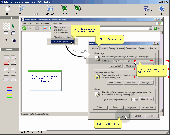
Screenshot of SPX Studio
Publisher: Moodysoft Inc.
License: Shareware
Price: USD $18.00
Filesize: 1.7 MB
Date Added: 07/12/2007

If what your website lacks is a beautiful display of screenshots, than SPX Studio can solve the problem for you. Now you can make perfect screenshots as well as improve their quality by adding new features like notes, balloons, callouts, highlights, text, images and graphics.
You can also insert various shapes like (rectangle, ellipse, etc.). The work created by using this software can be exported as images like bmp, gif, png and jpeg. If you want to share these images with others you can do that with very less effort. You can use any of your regular email like Outlook, Outlook Express, Netscape, Eudora and IncrediMail. If you want to upload it to your website directly, do it by using FTP. With the ease of use and so many possibilities you will have beautiful results in no time.
What you seek is a simple to use software with a beautiful design and this is what this software has to offer. Use it today for creating wonderful screenshots.
Works independently or as a complementary tool to SPX Instant Screen Capture.

Platform: Windows 95, Windows 98, Windows Me, Windows NT, Windows 2000, Windows XP, Windows 2003

Category: Multimedia & Design


Download | Homepage | Buy Now | Screenshot | Report Error

Related Software

Annotate Annotation Cam Capture
Capture Screen Capturing Email Email Image
Grabber Graphic Image Marketing
Notes Playback Print Screen Record
Screen Screen Capture Screen Grab Screenshot
SPX Graphic Editor - Design screenshots or other images to perfection. Start with a white canvas or load an image from your computer. Or capture with SPX and send it right to Editor. Available all tfine effects, tools and functions you really need.
SPX Instant Screen Capture - Capture any shape, from any source, to any destination in real time. Email screenshots with a program or with SMTP, as attachments or embedded HTML. Other features: Zoom, Scroll, Timer, Favorites...
!Super Screen Capture - !Super Screen Capture is an all-in-one software for screen capture. You can capture screen in many ways, including full screen capture, region capture, window capture, scroll capture, directx capture, video screen capture, sound record and etc.
Any Capture Screen - Screen capture software that can print screen and grab screenshot from Windows desktop, even surfaces of DVD players and video games, copy it to the printer, the clipboard, and file, allow you editing the image and undoing/redoing 10 steps.
Super Screen Capture - Super Screen Capture is an all-in-one software for free screen capture. You can capture screen in many ways, including full screen capture, region capture, window capture, scroll capture, directx capture, video screen capture, sound record and etc.
Super Free Screen Capture - Super Free Screen Capture is an all-in-one software for screen capture. You can capture screen in many ways, including full screen capture, region capture, window capture, scroll capture, directx capture, video screen capture, sound record and etc.
AT Screen Thief - Screen capture. Screen Editor. Screenshot depository. Zoom. Hunter. Support of printing and saving in BMP, JPG, GIF, PNG.
Super Capture Screen - Super Screen Capture is an all-in-one software for free screen capture.
Quick Screen Capture - Quick Screen Capture is a screen capture and image editing tool that can capture any part of your screen. It can also edit the captured image, and save the image into BMP/JPG/GIF formats.
Webcam Video Capture - Capture webcams, streaming video, full screen, part of the screen and even video with sound. Seeing is believing! Use Webcam Video Capture to make people witness what you want to convey through an audio-visual medium.

More Software of "Moodysoft Inc."

SPX Graphic Editor - Design screenshots or other images to perfection. Start with a white canvas or load an image from your computer. Or capture with SPX and send it right to Editor. Available all tfine effects, tools and functions you really need.
SPX Instant Screen Capture - Capture any shape, from any source, to any destination in real time. Email screenshots with a program or with SMTP, as attachments or embedded HTML. Other features: Zoom, Scroll, Timer, Favorites...
 

Copyright © 1995-2008 PCWin Download Center. Home | | Privacy | Link to Us | Submit / Update Software