
PassportODBC Screenshot
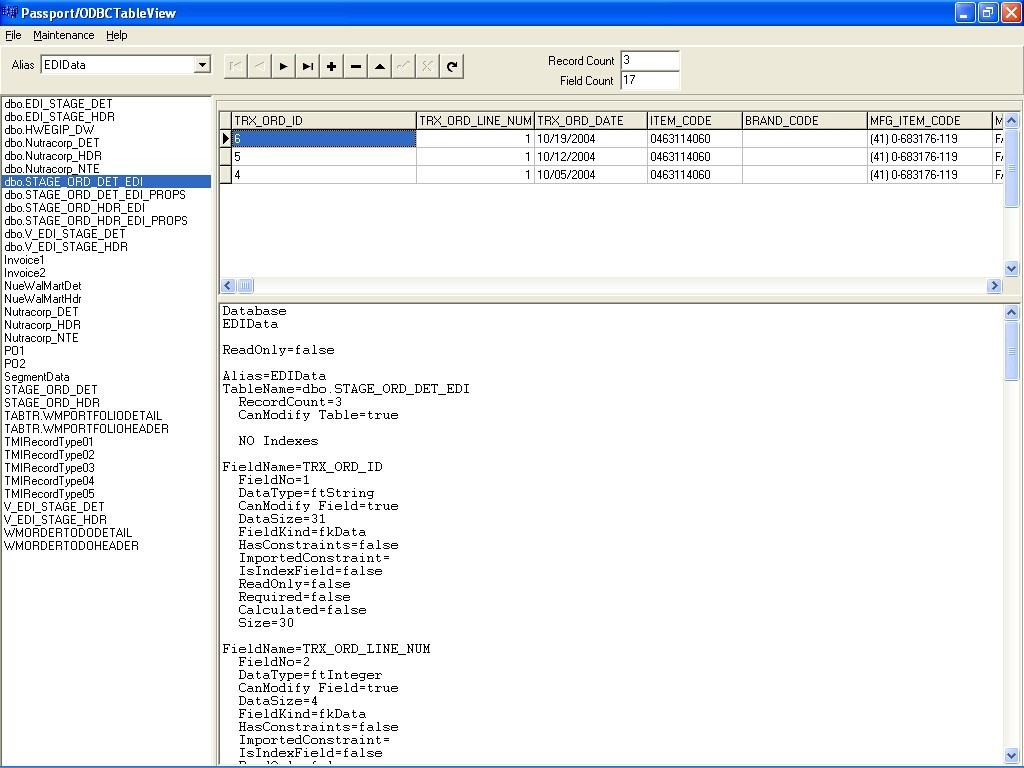
ODBC Viewer, View or edit any ODBC enabled database. Use Table Dump and Table Reload feature to test and retest your applications. Viewer shows content and structure without the orginal Database Frontend.
The program connects to an ODBC connection for viewing data, editing data, displaying field information, exporting the data in a table and importing the data that was exported.
First step is to correlate an ODBC structure with an Alias. Create a new alias, select the Database Drive Name, enter a name of the Alias in place of the default name and select the path to the ODBC database. If your tables are not local, you may need to define access to your tables via the operating system ODBC Administrator.
Start the program and select the alias from the dropdown list and the tables will be displayed.
The number of fields and Record Count or number of records in the table is displayed in the upper right. The lower display describes the database, alias and field information. Right click on the table information to save to a file. Options in the Maintenance menu provides the ability to do a table dump to an ASCII file and to reload the data what was dumped. This is useful when table data is read, exported, modified and deleted during testing of custom processing. When reloading data into a table the Alias and Table name must match. If the table that is selected has a memo field, a memo display will appear between the records and table information and the data in the memo field is displayed when the memo field is selected.
Back to PassportODBC Details page


