
PCWin Software Download Center
 
Product Home
Download Trial
Author Site

Category

 
Audio
Business & Finance
Desktop Enhancements
DVD & Video
Games
Home & Education
Internet
Multimedia & Design
Security & Privacy
Software Development
Utilities
Antivirus
Backup
Command Line Utilities
Desktop Enhancements
Device Drivers
File & Disk Management
File Compression
Font Tools
Icon Tools
Launchers
Misc. Utilities
Network
Optimizers & Diagnostics
Printers
QuickLaunch Utilities
Screensavers
Security & Encryption
Shell Extensions
System Surveillance
System Utilities
Uninstallers
Web Authoring


Popular Downloads

 
Internet Download Manager
TubeHunter Ultra
EasySystemCleaner
Majestic Waterfalls Screensaver
More than 30.000 vista icons
Visual Renamer
Aurora Web Editor 2007 Professional
MySpeed PC Lite
eScan Pro Edition
HelpVistaXPDiamond
 

New Downloads

 
DEKSI E-mail Security
Word to PDF
MetaProducts Picture Downloader
LiveProject Team Viewer
Photo Art Studio
Personnel Organizer Pro
AF Gold Cryptor
SecuWipe for Pocket PC
Casper
BlindScanner Standard
 

Related Downloads

 
Registry Remove
Add Remove Programs
Remove Startup Programs
Windows Registry
Windows Registry Fix
Windows Registry Ocx
Access Windows Registry
Repair Windows Registry
Windows Xp Registry Clea
Windows Registry Restore
 

Add-Remove Pro

Add-Remove Pro 2.10

displays the entries in the Add/Remove Programs list of Windows, checks if they are valid, and uninstalls the selected program or removes the entry from the list. Freeware. Download Add-Remove Pro by Super Win Software, Inc.
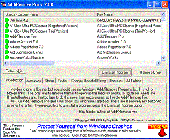
Screenshot of Add-Remove Pro
Publisher: Super Win Software, Inc.
License: Freeware
Price: USD $0.00
Filesize: 343.2 KB
Date Added: 07/12/2007

Add-Remove Pro

This free tool shows you want is in the Add-Remove Programs list, which entries are valid, and allows you to uninstall or remove any entry.

Platform: Windows 95, Windows 98, Windows Me, Windows NT, Windows 2000, Windows XP, Windows 2003, Windows Vista Starter,Windows Vista Home Basic,Windows Vista Home Premium,Windows Vista Business,Windows Vista Enterprise,Windows Vista Ultimate,Windows Vista Home Basic x64,Windows Vista Home Premium x64,Windows Vista Business x64,Windows Vista Enterprise x64,Windows Vista Ultimate x64

Category: Utilities


Download | Homepage | Screenshot | Report Error

Related Software

Add-remove Programs Uninstall Windows Registry
Perfect Uninstaller - Perfect Uninstaller is a better and easier way for you to completely uninstall any unwanted application that standard Windows Add/Remove Program can't remove.
Innovatools Add/Remove Plus! 2006 - Innovatools Add/Remove Plus! 2006 offers a new and better way to uninstall programs you no longer want on your computer. All you have to do is double-click an icon on your Desktop, quickly find the program you want to remove and click a button!
Registry Sweeper - Registry Sweeper is an outstanding Windows registry cleaner. It allows you to safely scan, clean and repair problems in the Windows registry in a few minutes.
RemoveWhitespaceFromAddRemovePrograms - Utility that cleans up the registry in those cases where huge gaps of whitespace is displayed in the add/remove programs control panel applet. The gap is caused by a badly formatted "DisplayedIcon" entry in the uninstall area of the registry.
Software Remove Master - Software Remove Master automatically detects broken registry keys from you Add/Remove list, and clears them completely according to your order.
Add-Remove Master - Add-Remove Master is an easy & powerful Utility to help you to uninstall unneeded programs and remove it's unused files from your computer, it also can help you to install a new programs, organize installed programs and many other features.
Final Uninstaller - Final Uninstaller, a professional uninstall tool for your PC, offers a new and better way to completely clean up files and registry entries that were left after unsuccessful uninstallation.
Uninstall Manager - Removing files from your system is a lot harder than installing them. Even though when you uninstall a program with its own uninstaller it may leave leftovers behind. Uninstall Manager is the program that helps you for a %100 clean uninstallation.
Uninstall Plus - Remove any traces of the previous uninstalled or deleted programs. Secure delete sensitive information. Clean junk files and activity traces. Scan identify and correct registry malfunctions. Manage programs that start at boot.
Total Uninstall - Total Uninstall helps monitor any changes made to your system during the installation of a new application. It allows you to perform a complete uninstall without having to rely on the supplied Add/Remove program which can leave changes behind.

More Software of "Super Win Software, Inc."

A1Click Ultra PC Cleaner - Use Clean PC, Remove Tracks, or Do-it-yourself Setup to find internal clutter, hidden stores, junk files, and registry trash - 7 Bonus Cleaning Tools - uses A1Click Technology and No Remains Deletion - can run automatically at startup, keeps undo.
EZ File Transplanter - Lets you move a program or folder to a new location without breaking it. When you install a program under Windows or when files are used in a folder, the system builds a web of connections that make it difficult to move the program or folder.
RegVac Registry Cleaner - RegVac - Ten Tools to Clean your Registry Speed up your computer. Avoid computer crashes. Get your registry sparkling clean. And repair Windows and applications. Stronger cleaning power than other registry cleaners. Free updates.
Speed Startup - Speed Startup cleans up startup and the computer by finding, identifying, and handling (using a unique four level process) known and hidden programs that automatically run at startup.
WinRescue 2000 - 4 Tools in One: Crash Fixer, RegPack, File Backup, and Troubleshooter. Don't spend hours reinstalling Win2000, restore in minutes with WinRescue 2000. WinRescue 2000's tools protect you against crashes. More details at www.superwin.com
WinRescue 95 - Four Tools in One: Crash Fixer, RegPack, File Backup, and Troubleshooter. Don't spend hours reinstalling Windows 95, restore in minutes with WinRescue 95. WinRescue 95's tools protect you against crashes. More details at www.superwin.com
WinRescue 98 - Four Tools in One: Crash Fixer, RegPack, File Backup, and Troubleshooter. Don't spend hours reinstalling Windows 98, restore in minutes with WinRescue 98. WinRescue 98's tools protect you against crashes. More details at www.superwin.com
WinRescue ME - Four Tools in One: Crash Fixer, RegPack, File Backup, and Troubleshooter. Don't spend hours reinstalling Windows ME, restore in minutes with WinRescue ME. WinRescue ME's tools protect you against crashes. More details at www.superwin.com
WinRescue NT - Four Tools in One: Crash Fixer, RegPack, File Backup, and Troubleshooter. Don't spend hours reinstalling Windows NT, restore in minutes with WinRescue NT. WinRescue NT's tools protect you against crashes. More details at www.superwin.com
WinRescue XP - Four Tools in One: Crash Fixer, RegPack, File Backup, and Troubleshooter. Don't spend hours reinstalling Windows XP, restore in minutes with WinRescue XP. WinRescue XP's tools protect you against crashes. More details at www.superwin.com
 

Copyright © 1995-2008 PCWin Download Center. Home | | Privacy | Link to Us | Submit / Update Software