
Advanced Registry Doctor Lite Screenshot
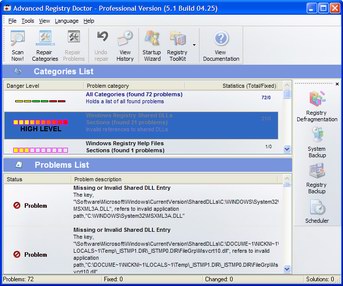
Advanced Registry Doctor (ARD) will cure your registry and thus provide a better performance of your Windows OS. Lots of programs, including MS Windows itself, have a bad habit to alter the registry in such a way, which causes appearance of different problems. Today you may install some new software on your PC and the next day it may happen that you’ll get annoying error message while your Windows loads. You ignore the problem, but eventually it puts its stamp on the whole OS. Some errors are noticeable while some other aren’t. Some are innocent, but still it’s possible you will find few, which will make you suffer.
Some programs write incorrect uninstall information to registry which in its turn can make correct software removal impossible. Incorrect references to font/help/dll and other important files frequently influence on the way that programs work giving you even more unpleasant problems to face. ARD finds problems of such kind and allows you to fix them either manually or automatically. Automatic repair of problems is very handy to use since it can be applied to set of problems and categories (category is a set of problems of a single kind). ARD can even find and repair invalid shortcuts, which reference to invalid file or hold invalid link to an icon.
ARD can bring some of the dead links back to life. For example, that is if you’ve accidentally moved your files (font files, help files, shared folders, shared DLLs, etc) to some other place. The main point of using ARD is that it will do the entire job for you; you just have to select which problems to search (categories) and HDD list, which will be used by the program for finding solutions. Usually you'll have to use ARD when new program is installed/removed.
Back to Advanced Registry Doctor Lite Details page
- Advanced Registry Doctor
- Advanced Registry Doctor Review
- Advanced Registry Doctor Pro
- Registry Cleaner Registry Doctor
- Registry Doctor
- Doctor Registry
- Nemo Registry Doctor
- Professional Registry Doctor
- Free Registry Doctor
- Registry Repair Doctor


