
PCWin Free Downloads Center
 
Product Home
Download Trial
Purchase
Author Site

Category

 
Audio
Business & Finance
Desktop Enhancements
DVD & Video
Games
Home & Education
Internet
Multimedia & Design
Security & Privacy
Software Development
Utilities
Antivirus
Backup
Command Line Utilities
Desktop Enhancements
Device Drivers
File & Disk Management
File Compression
Font Tools
Icon Tools
Launchers
Misc. Utilities
Network
Optimizers & Diagnostics
Printers
QuickLaunch Utilities
Screensavers
Security & Encryption
Shell Extensions
System Surveillance
System Utilities
Uninstallers
Web Authoring


Popular Downloads

 
More than 30.000 vista icons
TubeHunter Ultra
EasySystemCleaner
Aurora Web Editor 2007 Professional
Help Explorer Viewer for Windows
MySpeed PC Lite
eScan Pro Edition
HelpVistaXPDiamond
WAB-Processor
Win Guard Pro
 

New Downloads

 
WindowBlinds
KeysRecover
Aiseesoft Flip Converter
Fix Player
PC Screen Spy Monitor
Tipard Flip Video Converter
DVD to iRiver Converter for Mac
CSMenu
4Easysoft Mac M2TS Converter
PostworkShop
 

Related Downloads

 
File Synchronizer
File Synchronization
Backup Folder
Folder Backup
File Folder
File Folder Rename
File Folder Security
Protect File And Folder
File Folder Locking
File Folder Hider
 

Popular Searches

 
Limewire Old Version
Red Tube Video Downloader
Network Administrator Download
Redtube Video Downloader
Icons Xp Free
Crash Icons Screensaver
ANti Network Download
Avi Drivers
Network Speed Test
Killer Download On Network
 

GoodSync

GoodSync 6.1.5

GoodSync synchronizes local, network or removable files and folders. Fast, safe,
stable, easy-to-use and FREE! Download GoodSync by Siber Systems
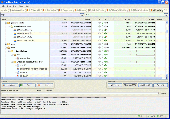
Screenshot of GoodSync
Publisher: Siber Systems
License: Freeware
Price: USD $0.00
Filesize: 546.9 KB
Date Added: 07/12/2007

When you work, even just occasionally, on multiple computers, you probably have to copy
files from one device to the other. Although you could memorize all of your file modifications,
there are better ways to apply your skills. Let GoodSync take care of recent
changes to your files. It looks for the latest version of a file, in specified folders,
and copies it to the other folders, i.e., it synchronizes them. Unlike other file
synchronization software which just copies files with the most recent file modification
time, GoodSync implements a sophisticated algorithm which does not depend on system
clock accuracy. GoodSync is fast, safe, stable, and easy-to-use. All you need to do is
to specify the local or network folders (directories) to be synchronized and the program
does the rest. If your computers are not connected, use a removable drive to synchronize
them.

PCWin Note: GoodSync 6.1.5 download version indexed from servers all over the world. There are inherent dangers in the use of any software available for download on the Internet. PCWin free download center makes no representations as to the content of GoodSync version/build 6.1.5 is accurate, complete, virus free or do not infringe the rights of any third party. PCWin has not developed this software GoodSync and in no way responsible for the use of the software and any damage done to your systems. You are solely responsible for adequate protection and backup of the data and equipment used in connection with using software GoodSync.

Platform: Windows 98, Windows Me, Windows XP, Windows NT, Windows 2000, Windows 2003, WindowsVista

Category: Utilities


Download | Homepage | Buy Now | Screenshot | Report Error

Related Software

Backup Folder Synchronization Synchronizer


Message Synchronizer for Windows Mail - Message synchronizer for Windows Mail is a powerful tool for synchronization E-mail messages database among computers.
Synchronizer for Outlook Express - Message synchronizer for Outlook Express is a powerful tool for synchronization E-mail messages database among computers.
SyncUp - SyncUp is a reliable file/folder synchronizer tool.
SynchronEX File Synchronizer, Backup/FTP - Robust multi-directional file tree synchronization and backup over local & network paths in any situation: From laptop synchronization to ZIP'ed backup to incremental FTP/DAV website upload. True synchronization of (re)moved files. Scheduled tasks.
Heatsoft Automatic Synchronizer - HAS is a synchronization utility that performs an automated (optionally as Windows service) or manual synchonizing of local and network files. The visual run option gives you an opportunity to control every step over synchronization.
Twin Folders - Keep your files up-to-date at both of your computers with this easy-to-use utility. It can synchronize and backup/restore your files, access FTP folders and work on timer and/or folder content change event.
BestSync - BestSync is a professional utility for synchronize/backup file and Outlook between net drive, shared folder, FTP server and USB drive with security and advanced features.
ViceVersa Free - A free file sync utility for Windows that lets you compare and synchronize files and folders quickly and easily. Works with laptops, desktops, PCs, USB drives, hard-disks, network disks. Fast and free. File synchronization has never been easier!
xSync File Synchronizer - xSync is a comprehensive solution for file and folder synchronization, supporting local file systems, network shares and FTP locations.
File Mirror - File Mirror is a very useful synchronization and backup utility. It removes the headache associated with the synchronization of files and directories located either on one computer or on several different computers in your local network.

More Software of "Siber Systems"

RoboForm - Password Manager and Form Filler that does it all: automatically logs you in, securely stores internet and offline passwords, prints and backs up passwords, fills long forms from personal profiles.
RoboForm2Go - USB-key based Password Manager and Form Filler that does it all: automatically logs you in, securely stores internet and offline passwords, prints and backs up passwords, fills long forms from personal profiles.
 

Copyright © 1995-2009 PCWin Free Downloads Center. Home | Archive | | Privacy | Link to Us | Submit / Update Software