
Langmeier Backup Screenshot
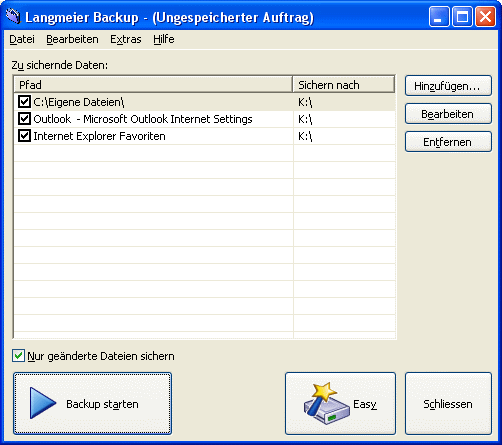
Never before has it been as easy to backup data from a computer. With Langmeier Backup Software everybody can prepare secure backups! Simply drag & drop files and folders, click on "Start Backup", and you are ready! Any drive recognised by Windows may be used to store the backup data, including network drives, media on a network as well as ftp-servers! Langmeier Backup allows fast and easy access to all archived files and folders, even without the backup program installed on the machine from where you wish to access the data! Files can be recovered from the backup data when required, by simply browsing or searching for them with Windows Explorer, independent of the version of Windows used. Writing a document in your Office-Program which you wish to backup every ten minutes? Or do you wish to run a backup during lunch break? Or do you want Langmeier Backup to run a quick backup before your turn your computer off? Special user requirements can be covered through different backup tasks, each can be run at a different time, it is even possible to define fixed days and times. Keep earlier versions of your files on your backup, not just the last one! If you have been working on a file for an extended period of time, it can certainly be helpful to gain access to an earlier version of this file. Whenever the file has changed, a copy will be made to the backup media; allowing you to access the latest or an earlier version of the file. This way you can access older or newer files, keeping access to older versions even after a long time. You may activate the historized backup for individual files or file types. To save storage space you can set Langmeier Backup to delete files which exceed a chosen date. With Langmeier Backup you can backup your data to a remote ftp-server. As the data will be stored at your ftp-provider and far removed from your own location, it will be safe even in case your computers and backup media burn down, are stolen or inundated.
Back to Langmeier Backup Details page
- Stellar Insta Backup Data Backup Software
- Reading Backup Exec Backup Files
- Backup Exec Backup Bkf Files
- Live Backup Now Real Time Backup
- Backup Maker Backup Review
- Backup Backup Exec Database
- SQL Server Backup Backup
- Usb Flash Backup Automatic Usb Backup
- Which Backup Xp
- Backup Now


