
AutoTask 2000 Task Scheduler Screenshot
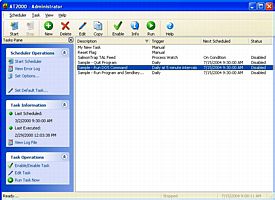
AutoTask 2000 is a task scheduler designed specifically for Windows. It is an extremely versatile event scheduling software that can be ran as a service or as a desktop application in the background. It has very flexible scheduling and conditional triggers for running various task and has also the ability to run multiple commands per task, much like mini scripts or macros. The concept behind a task is quite simple. A set of actions performed to retrieve a certain result. You build a set of actions or commands that need to run sequentially to complete a task. Starting and stopping programs, sending keystrokes to a specific window, sending DDE commands are just a few of the available commands. Logic commands such as delay, wait for program to finish allow for greater control of your tasks. With AutoTask, you can define intervals such as every 5 minutes, every other day, every third working day, every second Tuesday of the month, twice a year etc. Along with the ability to define intervals, you can also set run times. AutoTask 2000 will allow you to launch a task based on certain conditions being true. Conditions such as whether or not a file exists, or whether not a specific program is running, or whether or not a specific window is visible are just a few of available triggers that you can define. This allows you to build logic into your tasks. Whether your needs are simple or complex AutoTask can handle them!
Back to AutoTask 2000 Task Scheduler Details page
- Scheduler Task
- Os X Task Scheduler
- Task Scheduler Os X
- Task Scheduler Ce
- Help Task Scheduler
- Application Task Scheduler
- Wpf Task Scheduler
- Task Scheduler Mac
- Spider Task Scheduler
- Weekly Task Scheduler


