
One Cat File Manager Screenshot
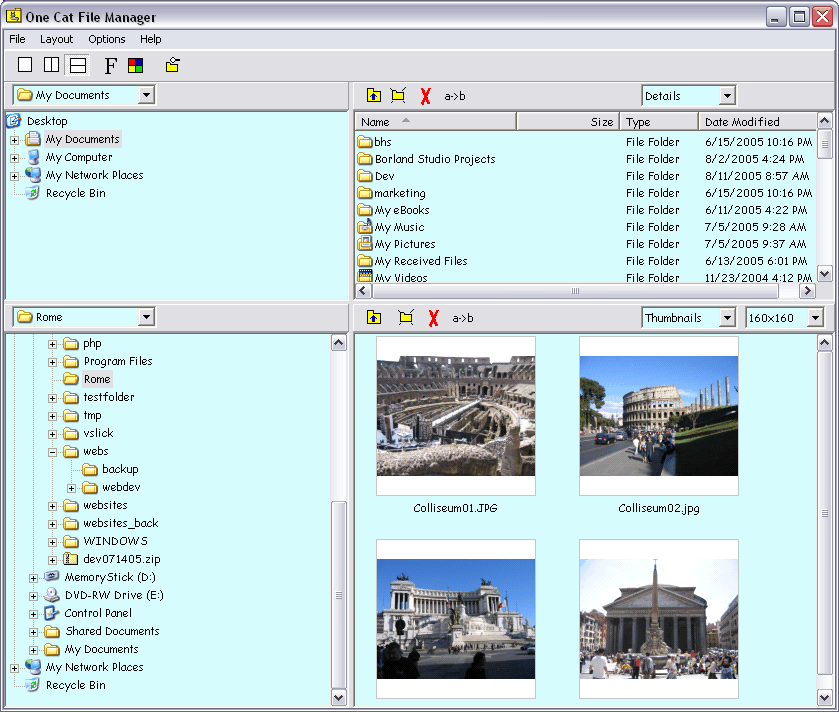
Side by side file management, easy multiple file renaming, synchronization, smart folder caching, and customizable looks combine to make the perfect file manager for Microsoft Windows. No more constantly sizing and resizing file management windows when moving or copying files between folders and drives. Better renaming and searching capabilities, and checkboxes make selecting multiple files much easier. Customize to add the personal touch. One Cat File Manager is not wildly different than the built-in Windows Explorer, so it is very quick to get going on it. Maybe the most convenient difference relates to the leftmost 3 icons in the toolbar at the top of the program. These allow you to quickly change between a single file pane and two panes. With one click you have two file explorers side by side that work independently from each other. Copying and moving files around now is a breeze. There's a drop-down menu for frequently viewed file paths, displayed in an order depending on your navigational history. One Cat File Manager also makes renaming files easy. Just select the files you want to rename and bring up the rename file window by clicking on the a-b icon. You can make your changes to an entire set of files complete with a preview of how they will turn out. No more pattern-based "OOPS!" problems in the command line. Windows default file manager displays all image thumbnails at a limited number of rather small sizes. One Cat File Manager lets you change the thumbnail size to make it bigger or smaller to fit your needs. You can also set the font and colors to suit your style. Do you want directories to be up to date? Choose them and hit Synchronize in the menu. One Cat File Manager does not overwrite the built-in file manager, Windows Explorer. Some programs replace the Windows Explorer, One Cat File Manager does not. It runs as a separate stand-alone program living peacefully on your computer with other programs.
Back to One Cat File Manager Details page
- Black Cat Manager Rapidshare
- Cat Wave File
- Cat File Video
- Cat File Mpg
- Cat Wav File
- Talking Tom Cat Jar File H
- Cat File Crypto Shell Extensions
- Talking Tom Cat Jar File
- Talking Tom Cat File Cab
- Terminal Manager File Manager


