WinCleaner UAC Switch Screenshot
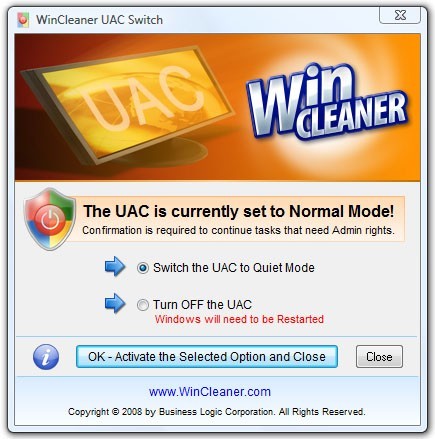
UAC short for User Account Control - also referred to as Admin Approval Mode is a new feature of Windows Vista.
Many actions that you normally perform in Windows prior to Vista require Administrator privileges now and so Vista will ask for permission before it will continue with these tasks. The tasks that require Administrator privileges and prompts to continue are as follow:
- Installation and un-installation of applications
- Run applications that require Admin privileges - such as Utility software
- To run windows configurations or change setting - eg. Firewall etc.
- To access certain areas of the Vista File System and others
WinCleaner UAC Switch will allow you to control the behavior of the UAC. UAC Switch will let you set the UAC so that it is less annoying if you do not need it on all the time. Put it in Quiet Mode and it will not bother you with many confirmation prompts, but will continue to provide security when using Internet Explorer.
If you require full control of your Windows as you had in Windows XP, you can let WinCleaner UAC Switch completely turn of the UAC. This is generally not recommened unless you trust the applications that you regularly use and you have good firewall and malware protection for your system.
If you are an experienced user and you have some understanding of how to manage your Windows properly and since the UAC will not protect your Windows against malware, that is the function of anti-malware software, it is generally safe to set the UAC to Quiet Mode. Use WinCleaner UAC Switch and free yourself from the constant annoying permission confirmations.
Back to WinCleaner UAC Switch Details page
- Juniper Uac
- Smart Uac Replacement
- Wincleaner
- Wincleaner Update
- Wincleaner Antivirus
- Mars Wincleaner
- Wincleaner Review
- Wincleaner Oneclick
- Free Wincleaner
- Ultra Wincleaner