
PCWin Free Downloads Center
 
Product Home
Download Trial
Purchase
Author Site

Category

 
Audio
Business & Finance
Desktop Enhancements
DVD & Video
Games
Home & Education
Internet
Multimedia & Design
Security & Privacy
Software Development
Utilities
Antivirus
Backup
Command Line Utilities
Desktop Enhancements
Device Drivers
File & Disk Management
File Compression
Font Tools
Icon Tools
Launchers
Misc. Utilities
Network
Optimizers & Diagnostics
Printers
QuickLaunch Utilities
Screensavers
Security & Encryption
Shell Extensions
System Surveillance
System Utilities
Uninstallers
Web Authoring


Popular Downloads

 
More than 30.000 vista icons
TubeHunter Ultra
EasySystemCleaner
Real 3D Matrix
Mix-FX Flash Animations and Buttons
Aurora Web Editor 2007 Professional
Help Explorer Viewer for Windows
MySpeed PC Lite
eScan Pro Edition
HelpVistaXPDiamond
 

New Downloads

 
Picture Doctor
4Easysoft Mac iRiver Video Converter
Flash Menu Factory
Addition Flash Cards
Easy File Catalog
Gskstudio iPhone Video Converter
BusinessSkinForm
AMS Beauty Studio
Distributed Storage
Quick PDF Library Lite
 

Related Downloads

 
Quick Launcher
Quick Launch Bar
Quick Launch
Quick Launch Button
Window Quick Launch
Menu Launcher
Start Menu
Start Menu Flag
Disable Start Menu
Hide Start Menu
 

Popular Searches

 
Redtube Video Downloader
Icons Xp Free
Network Administrator Download
Crash Icons Screensaver
Network Speed Test
Download Anti Proxy
ANti Network Download
Windows Xp Professional
Avi Drivers
Killer Download On Network
 

True Launcher

True Launcher 2.8

True Launcher is a simple, easy to use program launcher. True Launcher allows you to combine your shortcuts into groups, helps to free the desktop from numerous icons, folders, and files by moving them to the True Launcher start panel. Download True Launcher by TrueSoftware
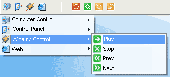
Screenshot of True Launcher
Publisher: TrueSoftware
License: Freeware
Price: USD $0.00
Filesize: 902.7 KB
Date Added: 07/12/2007

True Launcher is a simple, easy to use program launcher. True Launcher allows you to combine your shortcuts into groups, helps to free the desktop from numerous icons, folders, and files by moving them to the True Launcher start panel.

This panel automatically hides when it is inactive and pops up when the user points to the area where it is located. Also you can start applications via tray menu and hotkeys. True Launcher has many flexible settings. You can add separators into True Launcher also. Separators help you to group shortcuts inside menus or the toolbar. You may configure just the way you like it.

In addition to programs, True Launcher can be used to launch URLs, Control Panel items. Control Panel, Printers, Network... and any other folder. Now you can place them onto the True Launcher. All items on the True Launcher start panel can be accessed in one easy mouse click. This vastly improves the management of your shortcuts and save working space on your desktop. By using True Launcher, you speed up the launching of your applications like never before.

PCWin Note: True Launcher 2.8 download version indexed from servers all over the world. There are inherent dangers in the use of any software available for download on the Internet. PCWin free download center makes no representations as to the content of True Launcher version/build 2.8 is accurate, complete, virus free or do not infringe the rights of any third party. PCWin has not developed this software True Launcher and in no way responsible for the use of the software and any damage done to your systems. You are solely responsible for adequate protection and backup of the data and equipment used in connection with using software True Launcher.

Platform: Windows 95, Windows 98, Windows Me, Windows XP, Windows 2000, Windows 2003

Category: Utilities


Download | Homepage | Buy Now | Screenshot | Report Error

Related Software

Launchbar Launcher Quick Launch Quicklaunch
Shortcuts Start Menu Toolbar Truelauncher


dLauncher - dLauncher is a simple, easy to use program launcher. A good alternative to the Windows Start Menu. Friendly and intuitive. It provides quick access to your favorite programs, shortcuts, folders, documents and websites.
RLauncher - RLauncher is an easy to use application launcher. It is used to quickly launch applications, documents, and URLs with one mouse click and save your time. You can do it via main toolbar, tray menu, floating window, hotkeys and aliases.
WinLauncher - WinLauncher allows you to create shortcuts to the files, folders and web pages you use frequently. You can then access them very easily - with 2 clicks. With QuickLaunch you can also schedule shutdown computer.
xLauncher - xLauncher is a desktop utility that provides an alternative method of launching applications, easier to use than Windows Start menu. xLauncher offers several superior methods for launching your favorite applications and opening documents.
Able Launch Bar - Able Launch Bar is a window similar to the Quick Launch bar. This is Application Desktop Toolbar with built-in Windows Explorer. Able Launch Bar offers a system of shortcuts far more superior than Quick Launch.
XStart - XStart is an easy to use application launcher. A good alternative to the Windows Start Menu. Friendly and intuitive. It provides quick access to your favorite programs, shortcuts, folders, documents and websites.
Fast Launcher - Fast Launcher - replacement for Quick Launch and Start Menu! It has several features which make this program far more powerful, useful and convenient than Quick Launch. Fast Launcher is easy to use - you need just two clicks to launch the program.
JetStart Free - JetStart lets you launch Start Menu shortcuts faster and easier then ever. No more digging into crowded Start Menu! And best of all, it's completely Free!
DeskLauncher - DeskLauncher is a Start Menu alternative. It lets you launch applications, documents, URLs immediately and easier using toolbar, tray menu, floating window, hotkeys or aliases.
Launcher Pro - Launcher is an easy-to-use personal shortcut manager to launch all kinds of files and programs. Drag-and-drop operations are supported; this means that when Launcher is in "Manage Items" mode, one can configure shortcuts by "dragging" files.
 

Copyright © 1995-2009 PCWin Free Downloads Center. Home | Archive | | Privacy | Link to Us | Submit / Update Software