
PCWin Software Download Center
 
Product Home
Download Trial
Purchase
Author Site

Category

 
Audio
Business & Finance
Desktop Enhancements
DVD & Video
Games
Home & Education
Internet
Multimedia & Design
Security & Privacy
Software Development
Utilities
Antivirus
Backup
Command Line Utilities
Desktop Enhancements
Device Drivers
File & Disk Management
File Compression
Font Tools
Icon Tools
Launchers
Misc. Utilities
Network
Optimizers & Diagnostics
Printers
QuickLaunch Utilities
Screensavers
Security & Encryption
Shell Extensions
System Surveillance
System Utilities
Uninstallers
Web Authoring


Popular Downloads

 
Internet Download Manager
TubeHunter Ultra
EasySystemCleaner
Majestic Waterfalls Screensaver
More than 30.000 vista icons
Visual Renamer
Aurora Web Editor 2007 Professional
MySpeed PC Lite
eScan Pro Edition
HelpVistaXPDiamond
 

New Downloads

 
CapTrue
Froddle Pod
Audio Recorder Titanium
StatPlus Portable
Apen FLAC Ripper
Jesterware DVD to Apple TV
BluEasy
Perspector Lists
Auto Collage Studio
EazyCode
 

Related Downloads

 
Restore Data
Data Restore
Backup Restore
Disk Backup And Restore
Backup And Restore Utili
Data Backup Dvd
Data Backup Pda
Data Backup
Backup Data
Data Backup Sps
 

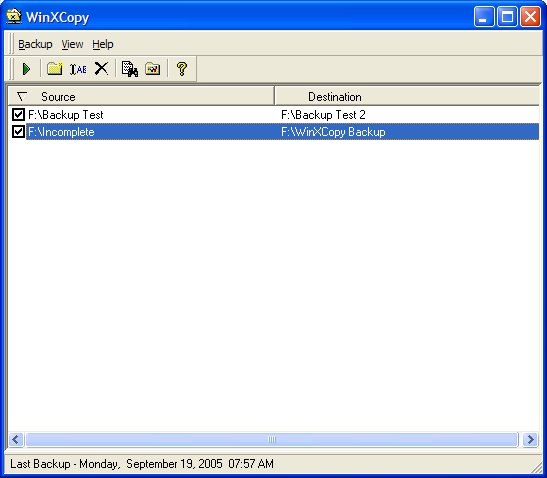
WinXCopy Screenshot

Based on the built-in Window’s software application XCopy, WinXCopy wraps all of the difficult command line parameters and batch file programming into a simple and easy Windows graphical user interface.
Create, Edit and execute powerful but simple data file backups to any drive your computer can access. Multiple back up items. Control the level of details for your back up items. Create very specific back ups or choose a top level folder to have all sub-folders backed up. Each back up item can be selected or unselected to control which of many back up items is actually executed. Choose what gets backed up. Back up all your files, just what has changed today, pick the date yourself or just since your last back up.
Control the back up process. Copy archives file only, back up empty folders and many other customization options. Back up Reminders. Haven’t run a back up in a while, WinXCopy will remind you.
Minimized Mode Operation. Have WinXCopy start-up minimized and automatically run your back-ups when started. Auto Execute on WinXCopy Start-up. Automatically start your backup when the application starts.
Summary Reports. See what has been copied to where and how long it took.


Back to WinXCopy Details page

WinXCopy Screenshot Related

Archive Backup Data Restore
 

Copyright © 1995-2008 PCWin Download Center. Home | | Privacy | Link to Us | Submit / Update Software