
|
|
|
 |
Category |
 |
| |
|
|
|
|
 |
Popular Downloads |
 |
| |
|
|
|
|
 |
New Downloads |
 |
| |
|
|
|
|
 |
Related Downloads |
 |
| |
|
|
|
|
 |
Popular Searches |
 |
| |
|
|
|
|
|
Tiff to Text 2.0 |
|
|
Tiff to Text is designed to perform Optical Character Recognition (OCR) in a batch process. The program utilizes the OCR engine from Nuance (Owners of OMNI Page - formally ScanSoft) that is included with Microsoft Office Document Imaging (MODI).
Download Tiff to Text by eDocfile Inc.
|
|
|
|
|
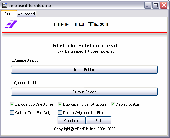
Tiff to Text is designed to perform Optical Character Recognition (OCR) in a batch process. The program utilizes the OCR engine from Nuance (Owners of OMNI Page - formally ScanSoft) that is included with Microsoft Office Document Imaging (MODI). Without question this OCR engine is one of the five best in the World, and is available in different languages. If English is not the language to be used the setup will prompt the user for the location of MODI.
With Tiff to Text the user has the option of processing all of the tif images in a file folder as well as all subfolders that contain tif images. The output will be a matching file folder structure with either the tif image along with a matching text file created from the OCR or just the text file.
Tiff to Text is easy to setup as the user only has to enter the input folder and output folder along with some simple choices
Required Setup information:
Include Sub Directories this will OCR all the tif images in the Sub Directories of the root
Duplicate Folder Structure makes a matching output file folder hierarchy of the OCR'd images, if not selected all output files will be placed in the output root.
Display Status the user to see what file is being OCR'd
Output Text File Only creates a matching text file from the OCR contents
Delete Original Tiff image the file that was processed
Advanced Options:
Standard Output OCR text file
Upper Case of the OCR text is converted to Upper Case
Lower Case - All of the OCR text is converted to Lower Case
Strict ASCII outputs the OCR text that contains character codes between 0 Printable ASCII outputs the OCR text that contains character codes 10, (line feed), 13 (Carriage Return) and codes 32 to 126
Custom - the user can input a string of character codes to be returned from the OCR such as 10, 13, 48-57 which would just output the numbers contained within the tif image.
PCWin Note:
Tiff to Text 2.0 download version indexed from servers all over the world. There are inherent dangers in the use of any software available for download on the Internet.
PCWin free download center makes no representations as to the content of Tiff to Text version/build 2.0 is accurate, complete, virus free or do not infringe the rights
of any third party. PCWin has not developed this software Tiff to Text and in no way responsible for
the use of the software and any damage done to your systems. You are solely responsible for adequate protection and backup of the data and equipment used in connection with using software Tiff to Text.
Rating:

|
|
Platform: Windows 2000, Windows 2003, Windows XP, Windows Vista
|
Category: Business & Finance / Legal
|
|
|
| | |
|
|
More Software of "eDocfile Inc." |
|
