
PCWin Free Downloads Center
 
Product Home
Download Trial
Purchase
Author Site

Category

 
Audio
Business & Finance
Desktop Enhancements
DVD & Video
AVI Tools
Cam Tools
DVD
DVD Burner
DVD Copy Software
DVD Creator
DVD Player
DVD Ripper
DVD to MP3 Ripper
MPEG Tools
Media Management
Misc Multimedia
Multimedia Player
Video Conversion
Video Joiner
Video Splitter
Video Tools
Games
Home & Education
Internet
Multimedia & Design
Security & Privacy
Software Development
Utilities
Web Authoring


Popular Downloads

 
More than 30.000 vista icons
TubeHunter Ultra
EasySystemCleaner
Aurora Web Editor 2007 Professional
Help Explorer Viewer for Windows
MySpeed PC Lite
eScan Pro Edition
HelpVistaXPDiamond
WAB-Processor
Win Guard Pro
 

New Downloads

 
Inscro
Windows Backup Fix
4Videosoft M2TS Converter for Mac
VoxPopuli
Mass Downloader
FoxTerm
IP Net Verify
NEO Find
Coloring Book 4: Plants
Medical Calendar for Workgroup
 

Related Downloads

 
Gain Languard
Ipod Itunes
Ipod To Itunes
Ipod Songs To Pc
Ipod Copy Songs
Transfer Songs From Ipod
Copy Ipod Songs To Compu
Equalize Histogram
Ipod Music To Mac
Ipod Music
 

Popular Searches

 
Limewire Old Version
Red Tube Video Downloader
Redtube Video Downloader
Network Administrator Download
Icons Xp Free
Crash Icons Screensaver
ANti Network Download
Avi Drivers
Network Speed Test
Killer Download On Network
 

iVolume for Windows

iVolume for Windows 3.1.3

Tired of constantly adjusting your music's volume? iVolume ensures that all your songs play at the same volume level. iVolume calculates the volume perceived by the human ear for each song of your iTunes music collection. Download iVolume for Windows by mani.de
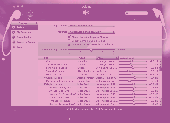
Screenshot of iVolume for Windows
Language: English, German, Japanese
Publisher: mani.de
License: Shareware
Price: USD $29.95, EUR23.95
Filesize: 2.4 MB
Date Added: 11/03/2008

Tired of constantly adjusting your music's volume?
iVolume ensures that all your songs play at the same volume level.
iVolume calculates the volume perceived by the human ear for each song of your iTunes music collection. Thereby iVolume gets the most out of the approved Replay Gain algorithm and adjusts your songs accordingly.

Compatible With Your Digital Life:
iVolume integrates seamlessly with iTunes on Mac and PC, iPod, iPhone, Apple TV, FrontRow and AirTunes. Most popular audio file formats like MP3, M4A/AAC, AIFF and Apple Lossless are supported.

Blazingly Fast:
iVolume takes advantage of newest technologies to fully utilize every core of modern multiprocessor machines for optimal performance.

Avoids Unnecessary Work:
iVolume remembers all results ever calculated. Apply changed adjustment settings without the need for re-analyzing your songs.

Keeps Albums Intact:
By using a sophisticated album detection algorithm iVolume optionally adjusts albums as a whole to keep the intention of the artist. This method is particularly suitable for adjusting gapless live albums.

Highly Configurable:
- Create groups to apply individual fine tuned settings to any specified subset of your songs.
- Awesome Usability:
- All the features above are fun and incredibly easy to use through a modern and clear user interface.

PCWin Note: iVolume for Windows 3.1.3 download version indexed from servers all over the world. There are inherent dangers in the use of any software available for download on the Internet. PCWin free download center makes no representations as to the content of iVolume for Windows version/build 3.1.3 is accurate, complete, virus free or do not infringe the rights of any third party. PCWin has not developed this software iVolume for Windows and in no way responsible for the use of the software and any damage done to your systems. You are solely responsible for adequate protection and backup of the data and equipment used in connection with using software iVolume for Windows.

Rating: 5 Stars

Platform: Mac OSX, Windows XP, Windows Vista

Category: DVD & Video / Misc Multimedia


Download | Homepage | Buy Now | Screenshot | Report Error

Related Software

Aac Adjustment Album Equalize
Gain Iphone Ipod Itunes
Level Loudness Mp3 Replay Gain
Songs Volume


iPodRobot PC Transfer - iPodRobot PC Transfer batch copy your ipod music and videos back to your computer folder or iTunes music library with just few clicks, include playlists, songs rating, comment, play count, volume adjustment and so on.
Soundcrank iTunes Plug-in - Get album art and lyrics for songs in your iTunes library. See what like minded people are listening to. Integrates with soundcrank.com to provide additional functionality such as show blogs, reviews, custom lists, general music blogs.
Tipard iPhone Transfer - Backup files from iPhone to Computer, try risk-freely(iPhone to Computer) Transfer files from PC to iPhone (PC to iPhone).
Tipard iPod to PC Transfer - iPod owners may face the needs to backup their files on iPod to PC, for iTunes doesn't providing this feature at all. Using Tipard iPod to PC Transfer you would never worry about the files losing problem.
TuneSleeve - TuneSleeve is a utility that downloads album art from Amazon for each album in your iTunes library (or in a specific playlist).
4Easysoft iPhone Rip - 4Easysoft iPhone Rip offers users the chance to handle iPhone files. This iPhone Ripper gives you the way to rip iPhone video to Computer, copy video from iPhone to PC for any occasion.
Sound Normalizer - Wav normalizer, Mp3 Normalizer - Sound Normalizer is designed for improving the quality of Mp3 and Wav files. This is achieved due to check and normalize the volume of Mp3 and Wav files.
4Media iPod to Mac Transfer - 4Media iPod to Mac Transfer can transfer music, videos, podcast, and TV shows on your iPod/iPhone to Mac and add them to your local iTunes Library. It also transfers music and videos from Mac to iPod and allows you to edit playlists on your iPod.
Senuti iPod Rip - Senuti iPod Rip transfers music from iPod to PC, sync songs from iPod to iTunes. Keywords: iPod to pc, ipod to computer, ipod to itunes, ipod copy, ipod rip, ipod ripping, ipod transfer, ipod software.
TuneJack - Easy to use iPod utility that walks you through the process of copying songs off an iPod to your PC and optionally add them to iTunes. Playlists, user ratings, play counts and last played date are all preserved when directly importing into iTunes.
 

Copyright © 1995-2009 PCWin Free Downloads Center. Home | Archive | | Privacy | Link to Us | Submit / Update Software