
PCWin Software Download Center
 
Product Home
Download Trial
Purchase
Author Site

Category

 
Audio
Business & Finance
Desktop Enhancements
Cursors
Font Tools
Fonts
Icon Tools
Icons
Misc. Themes
Movie Themes
Music Themes
Screensavers
Shell & Desktop Managers
Skins
Sports Themes
Start-up/Shutdown
TV Themes
Wallpaper
DVD & Video
Games
Home & Education
Internet
Multimedia & Design
Security & Privacy
Software Development
Utilities
Web Authoring


Popular Downloads

 
Internet Download Manager
TubeHunter Ultra
EasySystemCleaner
Majestic Waterfalls Screensaver
Visual Renamer
Aurora Web Editor 2007 Professional
More than 30.000 vista icons
MySpeed PC Lite
eScan Pro Edition
HelpVistaXPDiamond
 

New Downloads

 
Hide My Windows for Office
XTweak
AbAlarm 2008
Amphis - Customer
Charlottetown Website Design
4Media Video Frame Capture for Mac
Small SNTP Agent
Longitude
Shanghai China Travel toolbar
Funny Typing
 

Related Downloads

 
Windows System Utilities
Windows Vista
Save Settings
Windows Restart
Tray Utilities
Windows Shut Down
Windows Settings
Backup Windows Settings
System Utilities
Hdd System Tray
 

My System Tray Icon

My System Tray Icon 1

Power Monitor Off , Restart Computer , Log Off , Shut Down , Increase/Decrease Volume , Mute/Un-Mute , Run Program/Open File , Toggle Use Proxy by defining Hot Key for each/any one of them. All the features can be accesses using Right Click on System. Download My System Tray Icon by RTMenu.com
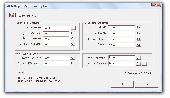
Screenshot of My System Tray Icon
Language: English
Publisher: RTMenu.com
License: Shareware
Price: USD $5.00
Filesize: 5.0 MB
Date Added: 12/02/2007

Power Monitor Off , Restart Computer , Log Off , Shut Down , Increase/Decrease Volume , Mute/Un-Mute , Run Program/Open File , Toggle Use Proxy by defining Hot Key for each/any one of them. All the features can be accesses using Right Click on System Tray Icon. Registered users can send in request to add relative feature(s). Trial Version does not have any nagging pop-ups.Registered Users Can send request to get relative feature(s) added.
Trial Version Does not have any Naggin Pop-Ups.Upgrades for Registered Users at No Extra Cost.Registered Users Can send request to get relative feature(s) added(at no extra cost). Run all features using Menu on Right Click of the System Tray Icon.Setup adds the program to run on Windows Startup.

Platform: Windows 98, Windows Me, Windows 2000, Windows XP, Windows Vista

Category: Desktop Enhancements / Shell & Desktop Managers


Download | Homepage | Buy Now | Screenshot | Report Error

Related Software

Decrease Electricity Free Hot Keyy
Increase Log Off Monitor Mute
Off Power Restart Rtmenu.com
Save Settings Shut Down System Tray
Utilities Utility Vista Volume
Easy Shut Down - Easy Shut Down,Restart,Log Off,Hibernate,Power Monitor Off,Hang Up Modem,Toggle Use Proxy,Close Internet Explorer Windows,Launch Control Panel Apps(Vista),Create Desktop Shortcut,Define System Wide Hot Key,Schedule Actions and much more.
Power Monitor Off - Power Off Monitor Whenever Required & Save Power. To Power On Monitor Just Press some Key or Move Mouse a little.Power Monitor Off Using a Desktop Icon or a System Tray Icon or define a Hot Key (eg Ctrl+K , F12 etc).
Good NightPC - GoodNightPC is a PC-based system utility to automaticly shut down, restart, lock or hibernate your computer. Ideal for saving electricity and cut off your power bill.
Turn Off Monitor - Turn Off Monitor is a Utility by which you can Turn Off Monitor using either a shortcut Key or a shortcut icon or an Icon in System Tray.Turning Off Monitor when not in use saves electricity which is not the same as running a Blank Screensaver.
Shut UP - Shut UP! is a tray-based tool that can reboot or shut down your PC at the time(s) you specify. Just select the time of the day and check off the day(s) of the week you want your computer to close down or restart; Shut UP! takes care of the rest.
PowrClik Suite - StandBy / Hibernate / Wake Up / Lock / Log Off / Restart / Power Off / Disconnect computer / Turn off monitor / Run file / Prevent suspend or shut down (+ much more) immediately (by click or command line) or scheduled (by timer, event or script).
Active Keyboard - Launch applications, documents, and URLs, and over 80 other actions to hot keys - Control your Winamp player - Hide application windows - Open, Play and close your CD-ROM - Change the volume, mute - Empty recycle bin - Lock/Unlock Desktop
Softany Monitor Control - Manually turn off monitor, start screensaver. automatically disable screensaver
Register Hot Key - Define a Key Combination as Hot Key. Register Hot Key(s) & Launch Programs / Open File with with Hot Key. The Program sits in System Tray. Remove Hot Keys whenever not required.
TweakVI Basic - Unlike other tweaking utilities, TweakVI bundles lots of different utilities in one. It was developed to combine both tuning and optimizing features to increase the speed of your Windows Vista system. The worlds first tweak software Vista.

More Software of "RTMenu.com"

Register Hot Key - Define a Key Combination as Hot Key. Register Hot Key(s) & Launch Programs / Open File with with Hot Key. The Program sits in System Tray. Remove Hot Keys whenever not required.
Power Monitor Off - Power Off Monitor Whenever Required & Save Power. To Power On Monitor Just Press some Key or Move Mouse a little.Power Monitor Off Using a Desktop Icon or a System Tray Icon or define a Hot Key (eg Ctrl+K , F12 etc).
 

Copyright © 1995-2008 PCWin Download Center. Home | | Privacy | Link to Us | Submit / Update Software