
PCWin Software Download Center
 
Product Home
Download Trial
Purchase
Author Site

Category

 
Audio
Business & Finance
Desktop Enhancements
DVD & Video
Games
Home & Education
Alarm Applications
Astrology & Numerology
Calendars & Planners
Clocks
E-books & Literature
Food & Beverage
Genealogy
Health & Nutrition
Hobbies
Home Inventory
Kids & Parenting
Language
Mathematics
Miscellaneous
Music
Religion & Spirituality
Science
Sports
Sticky Notes
Teaching Tools
Wining & Dining
Internet
Multimedia & Design
Security & Privacy
Software Development
Utilities
Web Authoring


Popular Downloads

 
TubeHunter Ultra
EasySystemCleaner
More than 30.000 vista icons
Aurora Web Editor 2007 Professional
MySpeed PC Lite
eScan Pro Edition
HelpVistaXPDiamond
WAB-Processor
Win Guard Pro
GreenAlarm
 

New Downloads

 
AnvSoft Web FLV Player
Disk Defensor
Atomic Time Synchronizer
OffMon
Flash Video Server
Reminder Commander
eSan FLAC Ripper
Wine Organizer Deluxe
Ukoo ISO Maker
NConstruct Lite
 

Related Downloads

 
Powerpoint Flash
Powerpoint In Flash
Powerpoint To Flash
Powerpoint To Flash Conv
Powerpoint Presentations
Flash Presentations
Make Dvd Flash
Make Flash
Flash Make
Make Flash Intro
 

authorPOINT for Rapid E-learning

authorPOINT for Rapid E-learning 3.8

authorPOINT is a PowerPoint plugin tool to create Flash SCORM and ADA compliant e-learning presentations for LMS. Insert video and audio in PowerPoint for rapid multimedia e-learning presentations with this Flash presentation authoring software. Download authorPOINT for Rapid E-learning by authorGEN Presentation Software
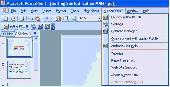
Screenshot of authorPOINT for Rapid E-learning
Publisher: authorGEN Presentation Software
License: Shareware
Price: USD $299.00
Filesize: 532.0 KB
Date Added: 07/05/2007

authorPOINT is a PowerPoint to Flash converter for SCORM and ADA compliant Flash presentations, which installs in PowerPoint as a plugin for easy PowerPoint capture and PPT to Flash conversion for SCORM LMS.

- Capture PowerPoint as you present.
- Integrate video and audio as required.
- Add your own video to the captured presentation.
- Convert to Flash, Windows media and Real media Formats.
- Easy procedure to publish your presentations to a dedicated streaming media server for web based delivery to viewers
- Includes a Content Manager to manage presentations. The Content Manager has information about each presentation and can be used to distribute presentations. E-learning presentations can be managed easily through the content manager.
- The plugin can be updated automatically
- Quick convert to Flash
- Presentations can be created for Desktop PCs as well as Pocket PCs

Uses

- Use to create SCORM web based lectures for online distance learning. These lectures can be posted to LMS (learning management system) servers.
- Presentations can be used for employee training in business organizations through intranets, seminars, and in training sessions
- Can be used as a rapid e-learning tool to create PowerPoint based training modules with audio and video. As an example, specialists can create web based training (WBT and CBT) to deliver training sessions in multimedia formats.
- Capture live seminars with audio and video, convert them to Flash presentations, and upload to your website for easy access to members. E.g. Medical and Law (CME, CLE) seminars can be captured and can be made available over the Internet.
- Use as a business enhancement tool to create business presentations. Use these rich media presentations to explain your product/service offerings. Access, or deliver product presentations to prospects online or through storage media. Multimedia presentations, with video are a very effective way of promoting your business offerings.

Platform: Windows 2000, Windows XP

Category: Home & Education


Download | Homepage | Buy Now | Screenshot | Report Error

Related Software

E-learning Multimedia Presentations Make Cbts Make Flash Presentations Make Wbts
Powerpoint In Flash Powerpoint To Flash Converter Powerpoint To Flash Plugin Ppt Plugin
Ppt To Flash Rapid E-learning Scorm Compliant Video In Powerpoint
PowerPointForce - PowerPointForce ?
PowerFlashPoint - PowerFlashPoint is a PowerPoint plug-in that automatically converts your PowerPoint 2007, XP/2002 & 2003 presentations into a highly compressed Internet-ready presentation in the Macromedia Flash format and retains all of your special effects.
FlashSpring Pro - FlashSpring Pro, PowerPoint add-in, is Flash content authoring tool. Flash presentation will be exactly the same as your PowerPoint ones. Furthermore, you will get all advantages of Flash format such as compactness, easy distribution, streaming, etc.
iSpring Free PowerPoint to Flash Converter - iSpring Free is a free PowerPoint to Flash converter that keeps original appearance of your PowerPoint presentations regardless of their complexity.
Blaze PowerPoint to Flash Converter - Blaze PowerPoint to Flash Converter is an easy-to-use but powerful PowerPoint to Flash converter.
iSpring Free - iSpring Free is a PowerPoint addin for conversion of presentations into Flash format. Generated Flash movies looks the same as your PowerPoint source. You will get all advantages of Flash format such as compactness, easy distribution, streaming, etc.
Wondershare PPT2Flash Professional - Wondershare PPT2Flash Professional is an awesome PowerPoint to Flash Converter that enables you to create engaging flash presentation, demonstration and E-learning course.
VeryDOC PowerPoint to Flash Converter - VeryDOC presentation tools: PPT2Flash software, PPT to Flash software, PowerPoint to Flash software, Create engaging flash or swf presentation, demonstration, training course, and home slide show, convert powerpoint to swf, powerpoint to flash.
Convert PowerPoint to Flash : PowerFlashPoint - Convert your Powerpoint (XP/2003/2007) presentations to flash in a single click.
Presentation to Video Converter - Presentations to Video Converter allows you to convert PowerPoint presentations into Video, Flash, GIF, DVD without using PowerPoint! The converting process allows human interaction on PowerPoint content during conversion. PowerPoint is not required!
 

Copyright © 1995-2008 PCWin Download Center. Home | | Privacy | Link to Us | Submit / Update Software