PCWin Free Downloads Center
 
Product Home
Download Trial
Author Site

Category

 
Audio
Business & Finance
Desktop Enhancements
DVD & Video
Games
Home & Education
Internet
Multimedia & Design
Security & Privacy
Software Development
Utilities
Antivirus
Backup
Command Line Utilities
Desktop Enhancements
Device Drivers
File & Disk Management
File Compression
Font Tools
Icon Tools
Launchers
Misc. Utilities
Network
Optimizers & Diagnostics
Printers
QuickLaunch Utilities
Screensavers
Security & Encryption
Shell Extensions
System Surveillance
System Utilities
Uninstallers
Web Authoring


Popular Downloads

 
More than 30.000 vista icons
TubeHunter Ultra
EasySystemCleaner
Aurora Web Editor 2007 Professional
Help Explorer Viewer for Windows
MySpeed PC Lite
eScan Pro Edition
HelpVistaXPDiamond
WAB-Processor
Win Guard Pro
 

New Downloads

 
WindowBlinds
KeysRecover
Aiseesoft Flip Converter
Fix Player
PC Screen Spy Monitor
Tipard Flip Video Converter
DVD to iRiver Converter for Mac
CSMenu
4Easysoft Mac M2TS Converter
PostworkShop
 

Related Downloads

 
Auto Play Mp3
Cd Auto Play
Auto Play Magic
Auto Play Midi
Play Movie Dat
Play Vob Movie
Flash Movie Play
Play Flash Movie
Auto Player
Dvd Play .Vob
 

Popular Searches

 
Limewire Old Version
Red Tube Video Downloader
Network Administrator Download
Redtube Video Downloader
Icons Xp Free
Crash Icons Screensaver
ANti Network Download
Avi Drivers
Network Speed Test
Killer Download On Network
 

DVD Player

DVD Player 1.0.0.1

DVD Player is one of the most efficient and powerful tools ever used to play DVD movies. By using this player, you will be able to Grab snapshot and save it as an image, Grab snapshot and save it directly as wallpaper. Download DVD Player by SOFTWAREMILE.COM

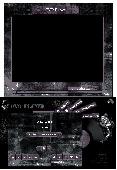
Screenshot of DVD Player
Language: English
Publisher: SOFTWAREMILE.COM
License: Freeware
Price: USD $0.00
Filesize: 13.2 MB
Date Added: 09/08/2009

DVD Player is one of the most efficient and powerful tools ever used to play DVD movies. By using this player, you will be able to grab snapshot and save it as an image and grab snapshot and save it directly as wallpaper; you can also set how you want to set the wallpaper (Tile - Stretch - Center). Also you can grab snapshot and save it to the clipboard. Using this player is so easy. To play a DVD, just select the DVD drive you wish to use by pressing the DVDs button. Use the media buttons to have full control over the movie. You can use the menu buttons as well to use the DVD's menu. You can physically eject your DVD, alter the volume, switch to full screen mode, grab a snapshot or enter to the Options dialog. In the Options dialog you can choose one of the available languages. Also you can set how you want to save your snapshot. If you're experiencing poor video quality; you may use the hardware acceleration to improve it. You are allowed to disable screen saver to watch your movie without being interrupted. You may turn the Auto Play option on to add a command to the context menu for your DVD, as well as adding "DVD Player" to your Auto Play list.

PCWin Note: DVD Player 1.0.0.1 download version indexed from servers all over the world. There are inherent dangers in the use of any software available for download on the Internet. PCWin free download center makes no representations as to the content of DVD Player version/build 1.0.0.1 is accurate, complete, virus free or do not infringe the rights of any third party. PCWin has not developed this software DVD Player and in no way responsible for the use of the software and any damage done to your systems. You are solely responsible for adequate protection and backup of the data and equipment used in connection with using software DVD Player.

Rating: 5 Stars

Platform: Windows 2000, Windows 95, Windows 98, Windows Me, Windows NT, Windows XP

Category: Utilities


Download | Homepage | Screenshot | Report Error

Related Software

Auto Play Auto Play. Drive Dvd
Eject Grab Movie Movies
Play Player Powerful Quality
Screen Saver Snapshot


CD Spectrum Pro - CD/Spectrum Pro is a CD/MP3 Player with Graphical Spectrum Analyzer for Windows.
Asram mp3Player - Asram mp3Player is a little audio player tool that helps you listen songs from different sources, one after the other.
Playlist Auto Creator - Playlist Auto Creator looks at the folders and music files on a given hard drive or digital music player and automatically creates play lists (M3U files).
Power Flashview - Power flashview is a powerful tool to play,preview,search,filter,manage,download,convert,catch and save flash(swf) files. By Power Flashview you can search, play, and convert flash files what you liked freely.
Ace DivX Player - Ace DivX Player is the best Windows Media Player replacement program, it plays movie and music in formats including DivX, AVI, MPEG, WMV, ASF, MP3, CD and Video-CD.
AK-Player - Zoom Video, Multi-Screen (Run many object in the same time with high performance) Rate (20 levels) Auto-continue and auto-play with multimedia search engine. Open hidden files and system files, control your CD- or DVD-ROM door, James character Guide.
Auto MP3 Player - Auto MP3 Player is an easy to use application that will allows your computer auto wakes up to play MP3 music and auto closes. This program is a nice mini MP3 player, it can control your computer auto wake up from sleep mode and turn off, make...
CD Eject Tool - CD Eject Tool is a utility that manages your CD Drive doors.
Ace Media Player - Universal media player that support DivX, QuickTime, Real Media and Window Media formats, you can now play DivX, RM, MOV, AVI, MPEG, MP3,CD,Video-CD files in one single player!
Anti-lost CD Ejector Pro - Protect CD-drives from forgotten CD.

More Software of "SOFTWAREMILE.COM"

iPod Copier - iPod Copier is very easy to use tool to Copy your iPod Device(Any Type), you can copy tracks from iPod to your local hard drive. With iPod Copier you can View all Audio/Video iPod Contents and Play Audio/Video Tracks of the iPod.
Internet Speed Booster - Internet Speed Booster is the powerful easy way to speed up your internet connection. With Internet Speed Booster you can speed up you internet connection, utilize your memory, utilize your internet connection and change your windows settings.
 

Copyright © 1995-2009 PCWin Free Downloads Center. Home | Archive | | Privacy | Link to Us | Submit / Update Software