PCWin Software Download Center
 
Product Home
Download Trial
Purchase
Author Site

Category

 
Audio
Business & Finance
Desktop Enhancements
DVD & Video
Games
Home & Education
Internet
Multimedia & Design
Security & Privacy
Software Development
Utilities
Antivirus
Backup
Command Line Utilities
Desktop Enhancements
Device Drivers
File & Disk Management
File Compression
Font Tools
Icon Tools
Launchers
Misc. Utilities
Network
Optimizers & Diagnostics
Printers
QuickLaunch Utilities
Screensavers
Security & Encryption
Shell Extensions
System Surveillance
System Utilities
Uninstallers
Web Authoring


Popular Downloads

 
TubeHunter Ultra
More than 30.000 vista icons
EasySystemCleaner
Aurora Web Editor 2007 Professional
MySpeed PC Lite
eScan Pro Edition
HelpVistaXPDiamond
WAB-Processor
Win Guard Pro
Help Explorer Viewer for Windows
 

New Downloads

 
ServiceCommander
Patch I.T.
ALLPlayer
SQL Balance for MySQL
Batch FTP Upload Synchronizer
SharePoint Permission Workflow
Bluefox RMVB to X converter
S3 Browser
DVR-MS to AVI
DVD to iPhone converter
 

Related Downloads

 
Free Mouse Keys
Shortcut Keys
Keyboard Keys
Change Keyboard Keys
Free Keys
Free Sc Cd Keys
Free X Tv Keys
Free Hot Keys
Free Pgp Keys
Free Adult Keys
 

Keyboard Manager Deluxe

Keyboard Manager Deluxe 2.15

Assign shortcuts, text, and objects to over 350 keyboard hotkeys, including function keys, letters, and numbers, with Shift, Ctrl, and/or Alt. Press hotkeys to open programs, files, and webpages, and to paste text, files, images, and sounds. Download Keyboard Manager Deluxe by Polyphony Software
Screenshot of Keyboard Manager Deluxe
Publisher: Polyphony Software
License: Shareware
Price: USD $29.95
Filesize: 869.2 KB
Date Added: 07/06/2007

Keyboard Manager Deluxe provides you with the power to assign shortcuts, text, and objects to over 350 keyboard hotkeys or key combinations for automatic, click-free activation and pasting.

You can create shortcut functionality for drives, folders, programs and other file types, the control panel, printers, DOS applications, Internet webpages, and other items. You can press hotkeys to run programs, or applications, such as the calculator program, to open files or folders, such as the Documents folder, or to access your favorite Internet webpages.

With text functionality, you can assign plain text to key combinations for pasting. You can press hotkeys to paste instantly assigned text into window text boxes and documents.

Object functionality enables you to assign entire files, folders, images, sounds, formatted text, and other objects to key combinations for pasting. You can press hotkeys to paste these objects into active windows. For example, you can press key combinations to paste assigned images into other images, within photo-editing programs. You can press hotkeys to copy assigned files into desired folders.

Keyboard Manager includes a main, keyboard window, which contains a standard keyboard layout. Here, you can select key combinations for functionality assignment creation and editing. An assignment list window provides a quick-reference to existing combination assignments.

Each hotkey or key combination consists of one primary key, and, optionally, one or two companion keys. The primary keys include function keys (F1 through F12), letter keys, number keys, the space key, punctuation keys, directional keys, and editing keys. The companion keys are the Shift, Ctrl, and Alt keys. Examples are F9, Alt + Q, and Shift + Ctrl + Backspace. Keyboard Manager represents key combinations in two formats: graphical and text.

The Keyboard Manager Network version empowers multiple users to share the same hotkey assignments.

Platform: Windows 95, Windows 98, Windows Me, Windows NT, Windows 2000, Windows XP, Windows 2003, Windows CE, Windows Vista Starter,Windows Vista Home Basic,Windows Vista Home Premium,Windows Vista Business,Windows Vista Enterprise,Windows Vista Ultimate,Windows Vista Home Basic x64,Windows Vista Home Premium x64,Windows Vista Business x64,Windows Vista Enterprise x64,Windows Vista Ultimate x64,Windows Mobile 2003,Windows Mobile 2005

Category: Utilities


Download | Homepage | Buy Now | Screenshot | Report Error

Related Software

Automatically Click-free Clipboard Combinations
Files Folders Formatted Function
Hot-keys Hotkeys Images Keyboard
Keys Mouse-free Multiple Objects
Open Paste Pasting Pictures
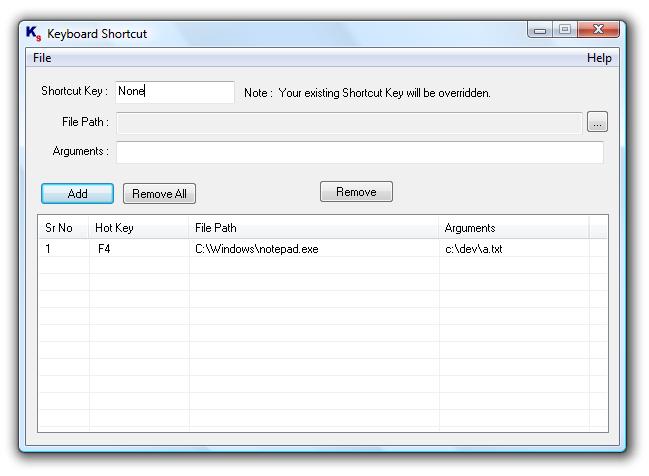
Keyboard Shortcut - Open Programs and pass command line arguments with a simple key press on the keyboard. Create Shortcuts / Hot Keys to Launch applications / open document files by pressing user defined hot key / keyboard shortcut.
JetPaste - JetPaste is a utility for pasting commonly used text phrases or formatted text into the applications.
Okoker hotkey Launcher - Okoker HotKey Launcher is very easy to create hotkeys for keyboard. It allows to start beforehand chosen programs or files on the beforehand adjusted combinations of keys.
KeyManager - KeyManager allows you to assign the following actions to regular or long presses of keys or key combinations: show a menu with actions; paste text; open files, programs or sites; press and block keys; manage windows, your computer's power and more.
Comfort Keys Pro - Perform routine actions in one click! Stop typing the same text over and over again! Now you don't need to go through numerous menus to find the necessary program or web page. Leave your mouse alone and configure hotkeys for all of your actions.
Swift Keyboard - Swift Keyboard is the most convinient tool for creating keyboard shortcuts so called "hot keys" not available in standard operating system.
I Can Press Keys - I Can Press Keys is a fun game designed for children in the 1 to 3 year age range.
Comfort Keys Lite - Discover how to perform any routine action in one click!
WinPaster - Quickly paste your own text, graphical or other type of data to any application using a list of records, prepared beforehand. Another way is using keystrokes and hot keys for quick access to needed records.
FastPaste - FastPaste does save your time. Paste frequently used text, formatted text and images with custom hotkeys! Makes it easy to enter frequently used text blocks: signatures, e-mail addresses, Internet and IP addresses, logins or passwords, etc.
 

Copyright © 1995-2008 PCWin Download Center. Home | | Privacy | Link to Us | Submit / Update Software