
PS Hot Folders Download
Downloading PS Hot Folders 2.2
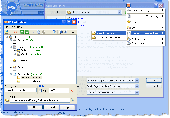
Tired of endless browsing though folders when accessing Open, Save As and Browse dialogs? PS Hot Folders lets you skip the browsing and access any item on your PC with one mouse click or by pressing a specified hot key combination. The program builds itself into Windows OS shell is available in Windows dialogs Open, Save As and Browse, including Microsoft Office Suite.
Using PS Hot Folders special easily configured menu, you can quickly go to the folder that you want in standard Windows Open, Save As and Browse dialogs (Microsoft Office dialogs are supported too) or quickly open the folder that you need in Windows Explorer. PS Hot Folders can also save your history of Open and Save As dialogs.
The above operations are carried out through the menu that can be called by clicking the special button in the dialog caption or the program icon in the taskbar system tray, and also by pressing user assigned hot keys (support for the Win key significantly extends the number of possible combinations).
The list of folders can be shown as a tree, that is you can divide all the folders that you want to open into logical groups which make it easier and quicker to find the folder that you want now. This grouping will allow you to form a very handy structure of the folders that you open most often. Using the structure, you can very quickly find and open the folder that you want now.
Main features:
Fast access to the folder by clicking the button in the dialog caption,
Tree-like structure of favorite folders,
Saving list of recently accessed files and folders,
Saving list of recently accessed folders separately for every application,
Quick opening of the folder from the menu in the system tray,
Fast access to the folder using hot keys,
Logical grouping of folders,
Quick and handy set-up using drag&drop
PS Hot Folders runs under Windows NT/2000/2003/XP/Vista and may be purchased for $19.95 online. Volume discounts are available.
To start download, click the following link:
Report Link Error |
Back to PS Hot Folders Details page


