
PCWin Software Download Center
 
Product Home
Download Trial
Purchase
Author Site

Category

 
Audio
Business & Finance
Desktop Enhancements
DVD & Video
Games
Home & Education
Internet
Multimedia & Design
Security & Privacy
Software Development
Utilities
Antivirus
Backup
Command Line Utilities
Desktop Enhancements
Device Drivers
File & Disk Management
File Compression
Font Tools
Icon Tools
Launchers
Misc. Utilities
Network
Optimizers & Diagnostics
Printers
QuickLaunch Utilities
Screensavers
Security & Encryption
Shell Extensions
System Surveillance
System Utilities
Uninstallers
Web Authoring


Popular Downloads

 
Internet Download Manager
TubeHunter Ultra
EasySystemCleaner
Majestic Waterfalls Screensaver
More than 30.000 vista icons
Visual Renamer
Aurora Web Editor 2007 Professional
MySpeed PC Lite
eScan Pro Edition
HelpVistaXPDiamond
 

New Downloads

 
NELiX TransaX FleXport
Comfy Hotel Reservation
Hetman Uneraser
Visual Clipboard Pro
RipTiger Ultimate
PloComp
Exif Pilot Lite
Timexam
Databeam Excel .Net
Comment Client for WordPress Pro
 

Related Downloads

 
Command Interpreter
Command-Line At
Command Line Jpg
Command Line
Command Line Bmp
Command Line Tif
Command Line Gif
Command-Line
Command Line Tool
Command Line Mode
 

Take Command

Take Command 8.02

If you are tired of having to choose between the power of the command line and the ease of a GUI, Take Command is the perfect solution. Take Command supports existing CMD.EXE commands and batch files, and adds thousands of new features. Download Take Command by JP Software
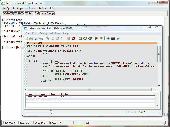
Screenshot of Take Command
Publisher: JP Software
License: Shareware
Price: USD $74.95
Filesize: 4.3 MB
Date Added: 07/06/2007

Take Command offers a new approach to working in Windows, bringing users the power of the command line and the ease of use of the Windows interface. Take Command supports existing CMD.EXE commands and batch files, and adds thousands of new features, giving you more power and flexibility than you ever imagined. Take Command adds features such as extensive context-sensitive online help, plugins, aliases for commonly used commands, a powerful command line editor, history recall, filename completion (even across a network), popup command and directory history windows, and extended directory searches that can take you to any directory on your system by entering only part of its name. Take Command expands the Windows file handling commands, giving you the ability to copy, move, delete, or list multiple files with a single command, and adding FTP and HTTP support (including SSL) . You can select or exclude files from any command by their date, time, size, and extended wildcards for extraordinary flexibility. Batch file users will be amazed at the power and speed Take Command adds to Windows batch files, with an array of new batch commands and a powerful batch debugger with single stepping, breakpoints, syntax coloring, popup variable windows, and editing. The extended batch language in Take Command includes subroutines, DO statements, IF THEN ELSE statements, SWITCH statements, error handling, more than 120 internal commands and over 200 internal variables. And if you don't like the default behavior, Take Command allows you to adjust its configuration either through interactive dialogs or on the command line.

Platform: Windows 2000, Windows XP, Windows 2003, Windows Vista Starter,Windows Vista Home Basic,Windows Vista Home Premium,Windows Vista Business,Windows Vista Enterprise,Windows Vista Ultimate,Windows Vista Home Basic x64,Windows Vista Home Premium x64,Windows Vista Business x64,Windows Vista Enterprise x64,Windows Vista Ultimate x64

Category: Utilities


Download | Homepage | Buy Now | Screenshot | Report Error

Related Software

4dos 4nt Batch Batch Programming
Cmd Cmd.exe Command Interpreter Command Line
Shell Take Command
Take Command/LE - If you are tired of having to choose between the power of the command line and the ease of a GUI, Take Command/LE is the perfect solution. Take Command/LE supports existing CMD.EXE commands and batch files, and adds thousands of new features.
4NT - 4NT is a powerful replacement for CMD.EXE, the Windows command processor. It makes your command prompt far more flexible and much easier to use, supports existing CMD.EXE commands and batch files and adds thousands of new features.
WinOne - Super Command Shell for Windows - WinOne is a Command Language Interpreter, similar in concept to the shell CMD.
TCI - TCI is a graphical application that allows you to run multiple console applications (generally command processors, such as 4NT, CMD, bash, PowerShell, etc.) within a tabbed window.
PromptPal - Eliminate the frustrations of the old Windows Command Prompt with PromptPal - a modern command line tool. Compose your commands and view the results in a modern and helpful Windows application.
PDF U Append Batch - PDF U Append Batch Edition software automates the process of appending multiple PDF files, PDF U Append Batch will append your many PDF documents into one PDF document at the click of one button, PDF U Append Batch also has command line options for f
TCC/LE - If you are frustrated by the limitations of the Windows command prompt, TCC/LE is the one tool you truly need.
Video to Flash Console - Video to Flash Console is a command linel tool for converting your digital videos to SWF or FLV in a batch script or command line konsole mode. You can convert AVI to SWF, AVI to FLV or any other video files.
Batch Image Commander - Batch Image Commander is a batch image processor made for command line operation and as a System Tray Icon application for timer based operation.
Tidycode Pl Sql Formatter - This software allows you to tidy, beautify or format your Pl/Sql code in a batch file or Dos prompt.

More Software of "JP Software"

4NT - 4NT is a powerful replacement for CMD.EXE, the Windows command processor. It makes your command prompt far more flexible and much easier to use, supports existing CMD.EXE commands and batch files and adds thousands of new features.
TCI - TCI is a graphical application that allows you to run multiple console applications (generally command processors, such as 4NT, CMD, bash, PowerShell, etc.) within a tabbed window.
CascadePoint - CascadePoint is a real-time backup and archiving program. Every time you open a document to edit or save changes to a document, it creates a copy of the original document in an archive. CascadePoint can also do scheduled backups of open files.
Take Command/LE - If you are tired of having to choose between the power of the command line and the ease of a GUI, Take Command/LE is the perfect solution. Take Command/LE supports existing CMD.EXE commands and batch files, and adds thousands of new features.
TCC/LE - If you are frustrated by the limitations of the Windows command prompt, TCC/LE is the one tool you truly need.
 

Copyright © 1995-2008 PCWin Download Center. Home | | Privacy | Link to Us | Submit / Update Software