PCWin Software Download Center
 
Product Home
Download Trial
Purchase
Author Site

Category

 
Audio
Business & Finance
Desktop Enhancements
Cursors
Font Tools
Fonts
Icon Tools
Icons
Misc. Themes
Movie Themes
Music Themes
Screensavers
Shell & Desktop Managers
Skins
Sports Themes
Start-up/Shutdown
TV Themes
Wallpaper
DVD & Video
Games
Home & Education
Internet
Multimedia & Design
Security & Privacy
Software Development
Utilities
Web Authoring


Popular Downloads

 
Internet Download Manager
TubeHunter Ultra
EasySystemCleaner
Majestic Waterfalls Screensaver
Visual Renamer
Aurora Web Editor 2007 Professional
MySpeed PC Lite
eScan Pro Edition
More than 30.000 vista icons
HelpVistaXPDiamond
 

New Downloads

 
SharePoint RichText Boost
Elecard Converter Studio
PhotoLab Calendar
4Leaf AVI Video Splitter
VisiFly
File Smitter
Serial Port Redirector
Windows Password Reset
Easy Card Creator Enterprise
Pro Cleaner
 

Related Downloads

 
Wbmp Utility
Extract Bitmap
Tiff To Bitmap
Cursor Wizard
Convert Wbmp
Jpeg To Bitmap
Bitmap To Icon
Jpeg Wizard
The Jpeg Wizard
Picture Extract
 

Any to Icon

Any to Icon 3.32

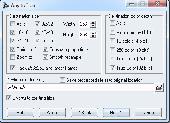
Any to Icon is a wizard-style converter for producing attractive Windows or Mac OS icons from an image. Many graphic formats are supported. Output customization includes options such as icon size, color depth, and transparency. Download Any to Icon by Aha-soft

Screenshot of Any to Icon
Language: English
Publisher: Aha-soft
License: Shareware
Price: USD $24.95, EUR19.95
Filesize: 1.0 MB
Date Added: 04/15/2007

If what you crave for is a pain-free ability to create your own icons, then Any to Icon may be the way to go. This slim application provides you with a handy conversion wizard to produce multi-resolution Windows icons from images and Mac OS icons. Images may come in a variety of formats, including BMP, WBMP, JPEG, GIF, PNG, PSD, TIFF, XPM, XBM, ANI, and CUR. In addition to icon creation, Any to Icon gives you an extra ability to extract icons from folders and libraries to save them as individual icons in folders of your choice.

Creating icons with Any to Icon is remarkably easy and does not require any advanced knowledge of computers, or graphic design. The program offers you a wizard that guides you through all icon conversion stages in a point-and-click fashion. Simply select a file, or a folder with images, customize icon output settings that include icon size, color depth, transparency, and specify a destination folder. Based on these settings, the converter automatically produces an icon or a set of icons in a blink of an eye. For your convenience, Any to Icon supports drag-and-drop for adding image files from Windows Explorer with a mouse.

Rating: 5 Stars

Platform: Windows 95, Windows 98, Windows Me, Windows NT, Windows 2000, Windows XP, Windows 2003

Category: Desktop Enhancements / Icon Tools


Download | Homepage | Buy Now | Screenshot | Report Error

Related Software

Aha Any Bitmap Bmp
Convert Converter Cur Cursor
Extract Gif Ico Icon
Icone Icono Iconz Image
Jpeg Jpg Library Picture
Icon to Any - Icon to Any lets you convert any icon, or cursor to an image. The tool comes packed up with an intuitively transparent wizard-style interface, support for a great variety of graphic formats and flexible output configuration settings.
AyeConvert - AyeConvert is a image converter, enables you to convert your bmp cur dcx emf fmf g3f g3n gif ico jpeg jpg j2k j2c jp2 jpc pcx pgx png pnm pgm ppm ras tif tiff wbmp wmf to bmp tiff jpeg png pcx dcx tga ras, etc.
AIconExtract - AIconExtract is a 32-bit utility that was designed to allow you to easily extract icon, cursor and bitmap images from the files on your computer. Resource images can be copied to the clipboard or saved to disk as .ico, .bmp, .cur or .jpg images.
ABB Image Icon Converter - ABB Image Icon Converter is a powerful tool for converting images to icon. Support converts images to icon in 24 formats. Creates icon from screen capture. Supports any icon size 16x16, 24x24, 32x32, 48x48, 64x64, 72x72, 96x96, 128x128.
AyeView - AyeView is a graphics image viewer converter with image transformations, enables you to browse open view convert flip mirror rotate resize your bmp cur dcx emf fmf g3f g3n gif ico jpeg jpg j2k j2c jp2 jpc pcx pgx png pnm pgm ppm ras tif tiff wbmp wmf
ABC Amber ICL Converter - ABC Amber ICL Converter is an advanced tool to extract icons from your ICL (Icon Library) files and convert them to any graphics format you wish (BMP, WMF, EMF, ICO, JPG, GIF, PNG, TIFF, PCX, PCC, DCX, PBM, PGM, PPM, TGA, etc).
Icon Converter Plus - Icon Converter Plus converts Windows BMP, GIF, JPEG, TIFF, WMF, EMF, PNG, PCX, J2K, TGA, CUR, ANI image formats into Windows icons. Make capture from your screen and convert to icon. Create, Edit and Manage Windows icons and Icon Library files.
Image2Ico - Powerful and easy-to-use utility for convert bitmap and gif images to icon
DWG to Image Converter - DWG to Image Converter is a batch converter that allows you to convert DWG and DXF files JPG (JPEG), to TIF (TIFF), BMP, GIF, PNG, TGA, PCX, WMF and EMF without the need of AutoCAD.
Paint Express - Create, view, edit, and extract icons, cursors, and bitmaps. Convert existing images with transparency to Windows XP icon/cursor or to 32-bit bitmap with alpha channel in one-click. Capture and save any image from the desktop screen or from Internet.

More Software of "Aha-soft"

ArtIcons - Find, extract, edit and create Windows icons in color depths up to 32-bit True Color. Import and export ICO, Vista ICO, CUR, BMP, JPG, PNG, PSD, WBMP, GIF images. Create and manage icon libraries. Create and store images with several layers.
IconLover - Create Windows Vista icons, manage icon libraries, and import icons from various image formats. Save time using batch conversion operations. Enhance images using multi-layer design mode. IconLover is made with love!
IconoMaker - This icon editor allows to make multi-resolution icons in 16x16, 24x24, 32x32, 48x48 and custom sizes, in monochrome, 16 colors, 256 colors and 32-bit True Color with alpha channel color depths. Modify your icons with helpful paint tools.
IconUtils - Once you have installed IconUtils on your computer, you will be able to create and edit icons, toolbars, gif-buttons, convert image files of various formats, download icon libraries from the Internet and even more; all you need in one tool!
IconXP - Icon XP 3.10 is a simple solution to all icons-crafting needs. The program supports 16 million colors 8-bit alfa-channel icons, imports Mac OS icons, alters standard Windows icons and, basically, provides guidelines to a fresh look of your desktop!
Toolbar Icon Set - Toolbar Icon Set is a collection of wonderfully-crafted ready-made icons for use in commercial and personal programs and websites. The icons have a bright color palette, smooth and well-rounded edges. A variety of formats and sizes is provided.
AhaView - This viewer supports all popular graphic formats, including JPEG, GIF, PNG, BMP, ICO, CUR, ANI, TGA. You can browse images in thumbnail mode, view pictures full screen with zooming features, convert images to JPEG, PNG, BMP formats and manage files.
Icon to Any - Icon to Any lets you convert any icon, or cursor to an image. The tool comes packed up with an intuitively transparent wizard-style interface, support for a great variety of graphic formats and flexible output configuration settings.
ArtIcons Pro - Find, extract, edit and create Windows icons in color depths up to 32-bit True Color. Import and export ICO, Vista ICO, CUR, BMP, JPG, PNG, PSD, WBMP, GIF images. Create and manage icon libraries. Create and store images with several layers.
ArtCursors - ArtCursors allows you to edit static and animated cursors in color depths up to 32-bit True Color. You also can search files and folders for cursors, import and export cursor images and create cursor libraries for better and more efficient storage.
 

Copyright © 1995-2008 PCWin Download Center. Home | | Privacy | Link to Us | Submit / Update Software