
TweakWindow Download
Downloading TweakWindow 1.5
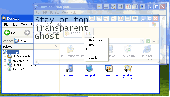
Even though TweakWindow has many analogs currently available for download on the Internet, no other window enhancement utility comes close to TweakWindow in terms of usability and number of features offered. In addition to standard features, like hiding a window or making it topmost or transparent, TweakWindow offers unique capabilities, like an option to change a window's icon or title so that no one can just come over and see what program you are running. One-click window minimization to the system tray is a great option for software applications that are automatically launched upon startup (like MS Outlook) but aren't currently used. To maximize a window, simply click the application icon in the system tray. Another popular option not available in many window enhancement tools is a rollup feature that rolls the window up or down, leaving visible only its titlebar. Window ghosting is a feature that makes a window topmost and semi-transparent (users can adjust the transparency level themselves). All clicks will go through that window to the one located beneath, but the ghost window can still be closed, minimized, maximized and resized. Only a ghost window's title bar reacts to mouse clicks. This is a great feature when you are running an application that you don't want others to see, but don't like hiding it entirely and need to be able access it immediately, when necessary. All these window manipulations can be done easily in one of three ways. First, you can use the buttons that the program adds to windows (this option can be turned on or off). Second, you can manipulate the windows through the window system menu. Finally, you can assign your own hotkeys that will trigger an action by simply pressing a combination of keys. The program is extremely easy to download, set up and use. It requires absolutely no special skills or knowledge. And since TweakWindow is 100% FREE to download and try, you can start using it right now!
To start download, click the following link:
Report Link Error |
Back to TweakWindow Details page


