
PCWin Software Download Center
 
Product Home
Download Trial
Purchase
Author Site

Category

 
Audio
Business & Finance
Desktop Enhancements
DVD & Video
Games
Home & Education
Internet
Multimedia & Design
Security & Privacy
Software Development
Utilities
Antivirus
Backup
Command Line Utilities
Desktop Enhancements
Device Drivers
File & Disk Management
File Compression
Font Tools
Icon Tools
Launchers
Misc. Utilities
Network
Optimizers & Diagnostics
Printers
QuickLaunch Utilities
Screensavers
Security & Encryption
Shell Extensions
System Surveillance
System Utilities
Uninstallers
Web Authoring


Popular Downloads

 
Internet Download Manager
TubeHunter Ultra
EasySystemCleaner
Majestic Waterfalls Screensaver
Visual Renamer
Aurora Web Editor 2007 Professional
More than 30.000 vista icons
MySpeed PC Lite
eScan Pro Edition
HelpVistaXPDiamond
 

New Downloads

 
SharePoint RichText Boost
Elecard Converter Studio
PhotoLab Calendar
4Leaf AVI Video Splitter
VisiFly
File Smitter
Serial Port Redirector
Windows Password Reset
Easy Card Creator Enterprise
Pro Cleaner
 

Related Downloads

 
Change Window Title
Change Window Icon
Dos Hide Window
Hide Window Now
Aim Window Hide
Hotkey Hide Window
Topmost Window
Rollup Window
Transparent Window
Window Tweak Ui
 

TweakWindow

TweakWindow 1.5

TweakWindow is a handy window enhancement utility with a wealth of options. You can set your own transparency options, hide, minimize, roll up, place window on top of all others, ghost it or even change a window's icon/title. Try it FREE now! Download TweakWindow by AbsoluteWay
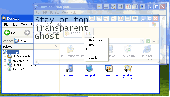
Screenshot of TweakWindow
Publisher: AbsoluteWay
License: Shareware
Price: USD $21.00
Filesize: 1.4 MB
Date Added: 07/12/2007

Even though TweakWindow has many analogs currently available for download on the Internet, no other window enhancement utility comes close to TweakWindow in terms of usability and number of features offered. In addition to standard features, like hiding a window or making it topmost or transparent, TweakWindow offers unique capabilities, like an option to change a window's icon or title so that no one can just come over and see what program you are running. One-click window minimization to the system tray is a great option for software applications that are automatically launched upon startup (like MS Outlook) but aren't currently used. To maximize a window, simply click the application icon in the system tray. Another popular option not available in many window enhancement tools is a rollup feature that rolls the window up or down, leaving visible only its titlebar. Window ghosting is a feature that makes a window topmost and semi-transparent (users can adjust the transparency level themselves). All clicks will go through that window to the one located beneath, but the ghost window can still be closed, minimized, maximized and resized. Only a ghost window's title bar reacts to mouse clicks. This is a great feature when you are running an application that you don't want others to see, but don't like hiding it entirely and need to be able access it immediately, when necessary. All these window manipulations can be done easily in one of three ways. First, you can use the buttons that the program adds to windows (this option can be turned on or off). Second, you can manipulate the windows through the window system menu. Finally, you can assign your own hotkeys that will trigger an action by simply pressing a combination of keys. The program is extremely easy to download, set up and use. It requires absolutely no special skills or knowledge. And since TweakWindow is 100% FREE to download and try, you can start using it right now!

Platform: Windows 2000, Windows XP, Windows 2003

Category: Utilities


Download | Homepage | Buy Now | Screenshot | Report Error

Related Software

Absoluteway Change Window Icon Change Window Title Click Through Window
Hide Program Hide Window Make It Ghost Minimize To Tray
Outlook Tray Rollup Window Topmost Window Transparent Window
Tweak Window Window Always On Top
Window Hide Tool - Window Hide Tool will help you to quickly hide a window of any application. You can set hotkeys for basic program commands: hide a window; hide all windows; hide a group of windows. Or you can hide a window by clicking an icon in your tray. Moreover,
Actual Window Decorations - Make windows easy to use and beautiful! Add handy new buttons to any window title bar: "Minimize to Tray," "Stay on Top" and "Make Transparent." Minimize windows to the Tray or roll them up into a title bar instead of an icon. Keep important...
Hide Window Hotkey - Hide applications window or close them completely through Mouse Hotkey or Keyboard Hotkey.Resize your programs automatically,such as maximize,minimize,normal,minimize to tray.Set specific windows transparency and arrange the windows on taskbar.
SD WinHider - SD WinHider is the utility to hide/restore quickly your windows and manage system tray icons. Make your desktop space free for more programs!
Auto Window Manager - Auto Window Manager resize your programs automatically every time they start,such as maximize,minimize,normal,minimize to tray.It also set application windows transparency,minimize them to tray,stay on top,align and resize from window system menu.
OneClick Hide Window - OneClick Hide Window helps you to hide all active program window immediately by click left&right mouse buttons. You can hide the browser windows, folder windows, applications windows, all windows in a flash time. Hide window by oneclick now!
Actual Title Buttons - Gain benefits from new controls to free yourself from repetitive and annoying windows management activities! Keep any selected window always on top or minimize it to the system tray to eliminate window clutter on the task bar! Try it now!
Actual Window Rollup - Rollup will help you get rid of such a problem as looking for a window icon. Make windows behave excellently; minimize them not to taskbar icons, but so that only title bars remain visible! Save your time, don't hunt for icons any more! Try it now!
Actual Handy Windows - Make windows handier and easier to use! Add new Rollup/Unroll, Minimize to Tray, Stay on Top buttons to any window title bar near the standard buttons. Minimize windows to Tray or to any screen edge. Roll them up into a title bar instead of an...
XNeat Windows Manager - XNeat is taskbar utility in the must have list. XNeat gives you full control over your Windows by extending it's features: 1) Stay On Top 2) Show / Hide Windows 3) Taskbar Utility 3) & More Once you try it, you will love it .. !
 

Copyright © 1995-2008 PCWin Download Center. Home | | Privacy | Link to Us | Submit / Update Software